11
CHAPTER 4: Setup
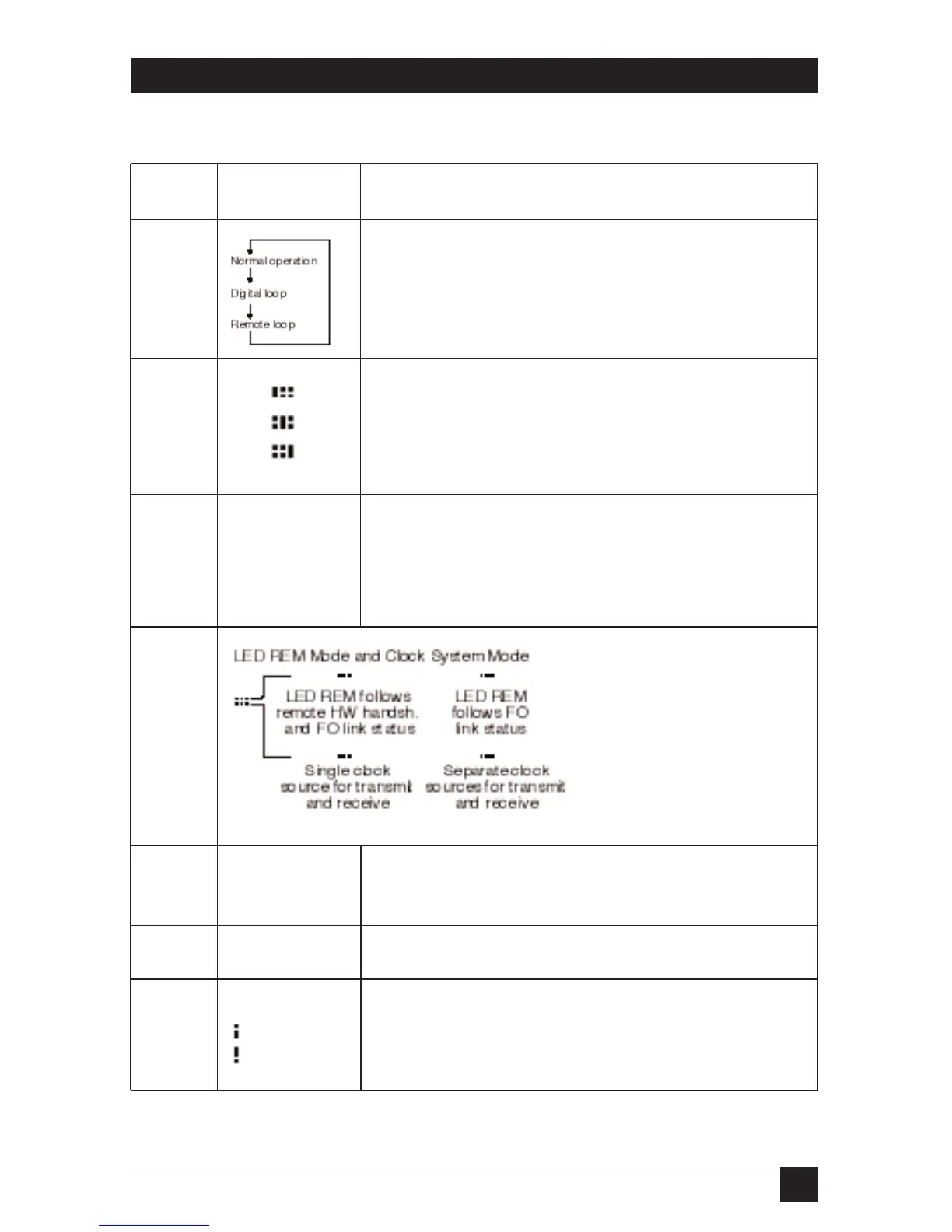
Table 4-1. Key, Jumper, and Switch Settings
Number Setting Description
1 Loop Mode Key: Press the key switches through the
following operating modes: Normal operation, Digital
loop, Remote loop. The unit enters loop mode when the
distant modem gets switched to remote loop.
2 Clock Source
Internal
Remote
External
3 Interface Speed
Position D 1.544 kbps
1544
All other settings are not applicable.
4
5 Processor Connector
Not used. Do not install any jumpers!
6 For factory use only. Do not install any jumpers!
7 Fiber Optic Output Power
Low
High









 To Next Page