Wizard DP Extender
724-746-5500 | blackbox.com
Page 18
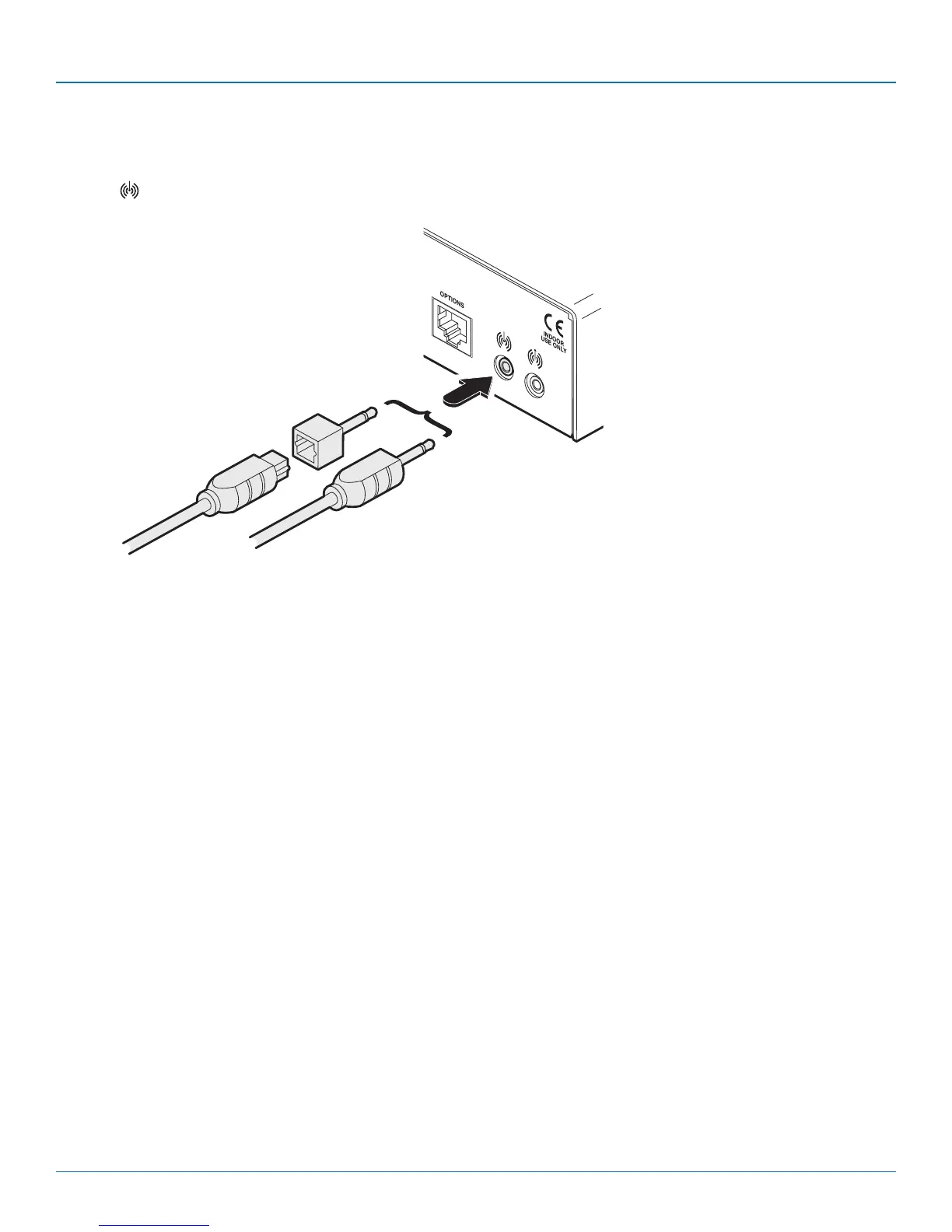
3.2.3.2 To connect digital audio
1 Use either a mini-TOSLINK fibre optic cable (or a full size TOSLINK fibre optic cable plus a mini-TOSLINK adaptor) to connect the
Line In socket on the transmitter to the digital Line Out socket of the host computer.
TOSLINK cable
from host
computer plus
mini-TOSLINK
adaptor
Mini-TOSLINK
cable from host
computer
Note: This digital input is fed across the main CATx link to the optical connection of the receiver’s Line Out socket only. There is
no crossover between the analog and digital audio subsystems of the Wizard DP Extender installation.








 To Next Page