Wizard DP Extender
724-746-5500 | blackbox.com
Page 12
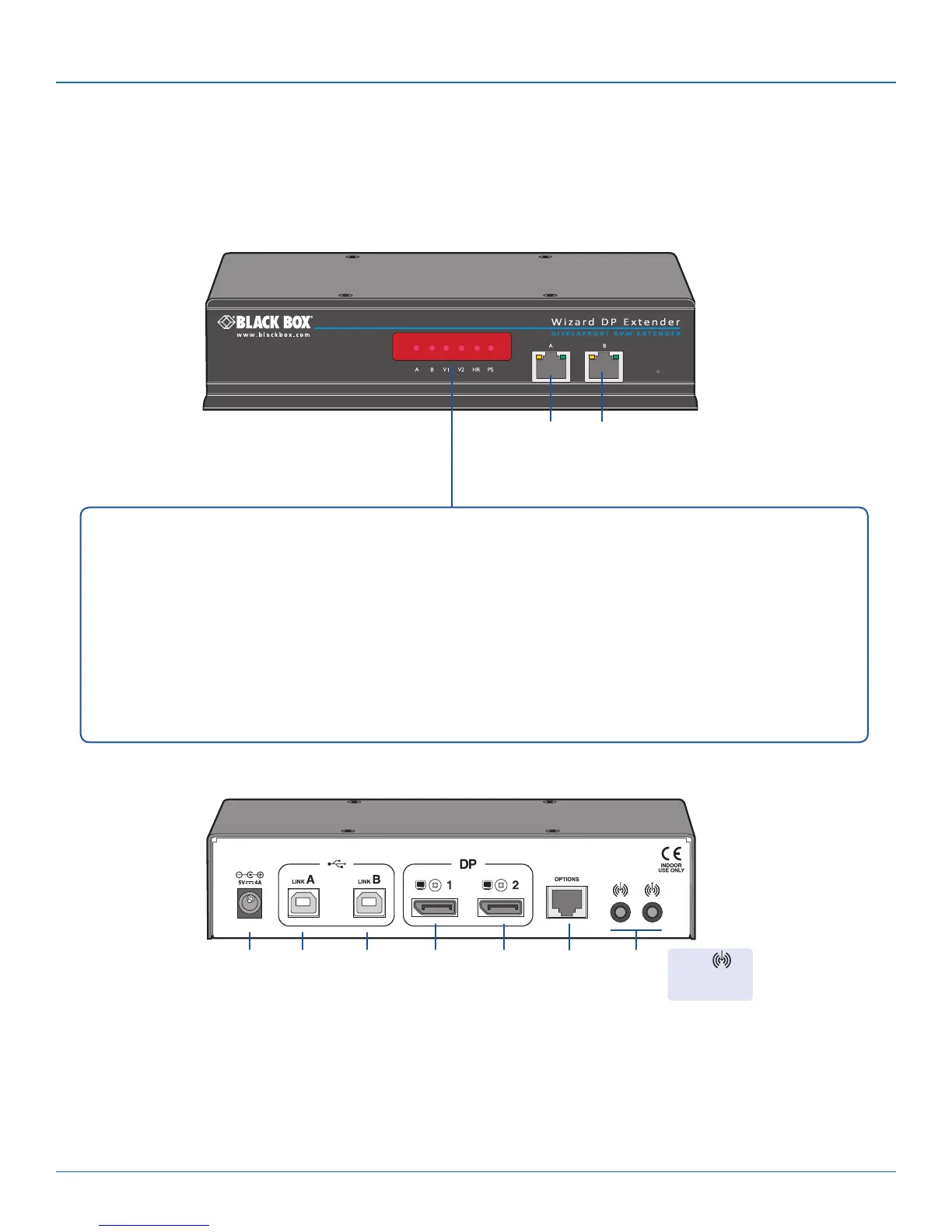
2.6 Wizard DP Extender unit features
The Wizard DP Extender units are housed within durable, metallic enclosures with port connectors situated on the front and rear
panels. The smart front faces also feature the operation indicators.
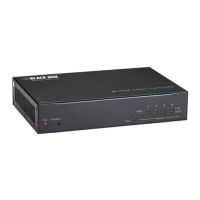
2.6.1 Transmitter - front
Optional
B link
2.6.2 Transmitter - rear
Main
A link
Primary
DisplayPor t
video
input
Audio
line
in/out
USB
link A
port
Power
input
Secondary
DisplayPort
video
input
USB
link B
port
Multi
function
Serial
port
Indicators
These six indicators clearly show the key aspects of operation:
• A On Main A link is connected.
Flashes Main A link is not connected.
Off No power is present.
• B On Optional B link is connected.
Off Optional B link is not connected.
• V1 On Video port 1 is connected and receiving video.
Flashes Video port 1 is connected but not receiving video.
Off Video port 1 is not connected.
• V2 On Video port 2 is connected and receiving video.
Flashes Video port 2 is connected but not receiving video.
Off Video port 2 is not connected.
• HR On High Rate mode is active.
Flashes High Rate mode is preferred but cannot be established, LR
mode active.
Off Low Rate mode is active.
• PS On Power connected.
Flashes Upgrade error (other indicators show error code).
Off No power.
Line In
jack supports
mini-TOSLINK








 To Next Page