877-877-2269 | blackbox.com
Page 14
Chapter 4: Windows Local Area Network Settings
Follow these steps:
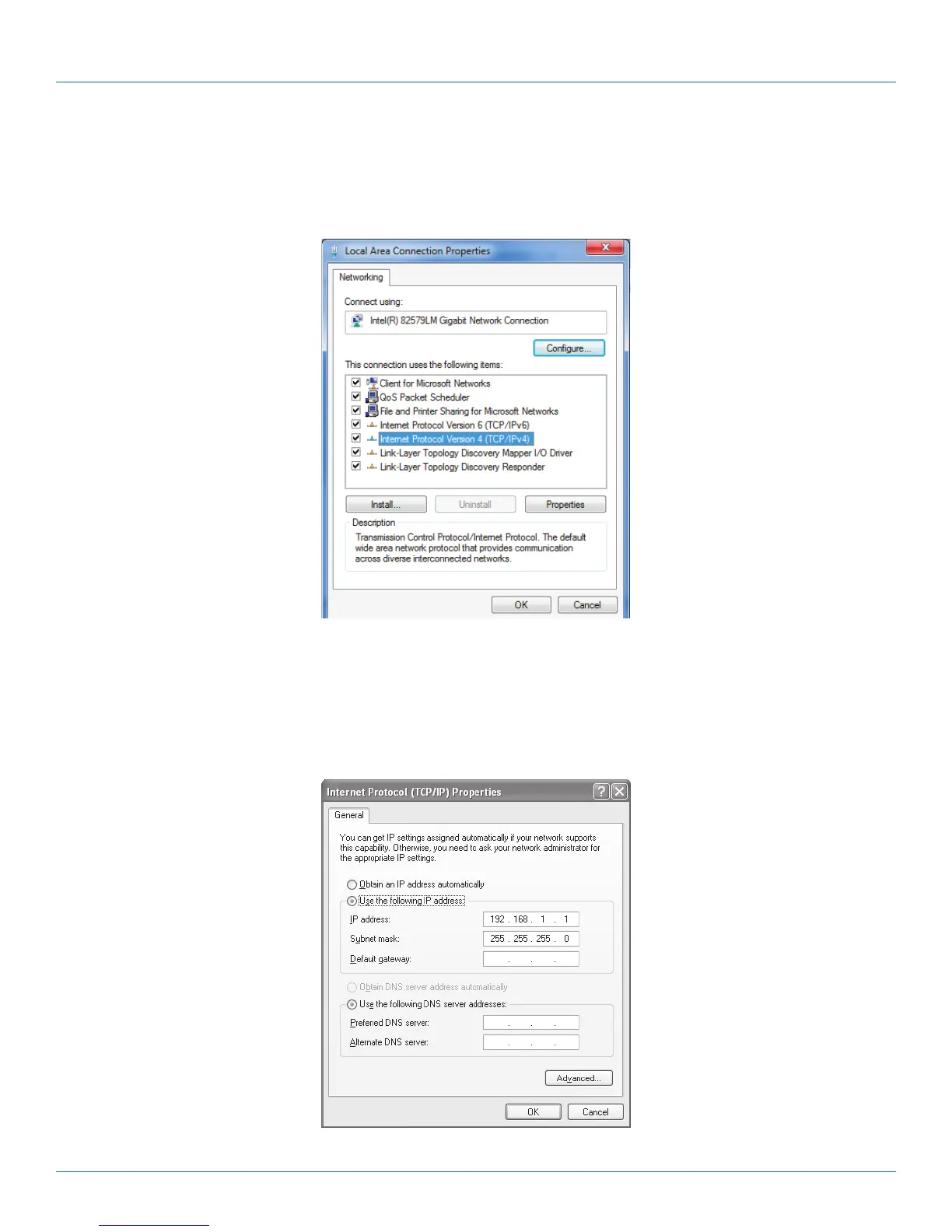
1. Right-click on the network adapter used to connect to the touch panel and then right-click and select Properties.
2. Select Internet Protocol (TCP/IP) and click the Properties button.
Figure 4-3. General tab.
3. Select the “Use the following IP address” option. Set the IP address to 192.168.1.1 (or another address different from
192.168.1.127 and from 192.168.1.128) and Subnet mask to 255.255.255.0. Leave other options unchanged and click
OK.
Figure 4-4. TCP/IP Properites screen.



 To Next Page