Page 31
877-877-2269 | blackbox.com
Chapter 8: Admin Control Panel
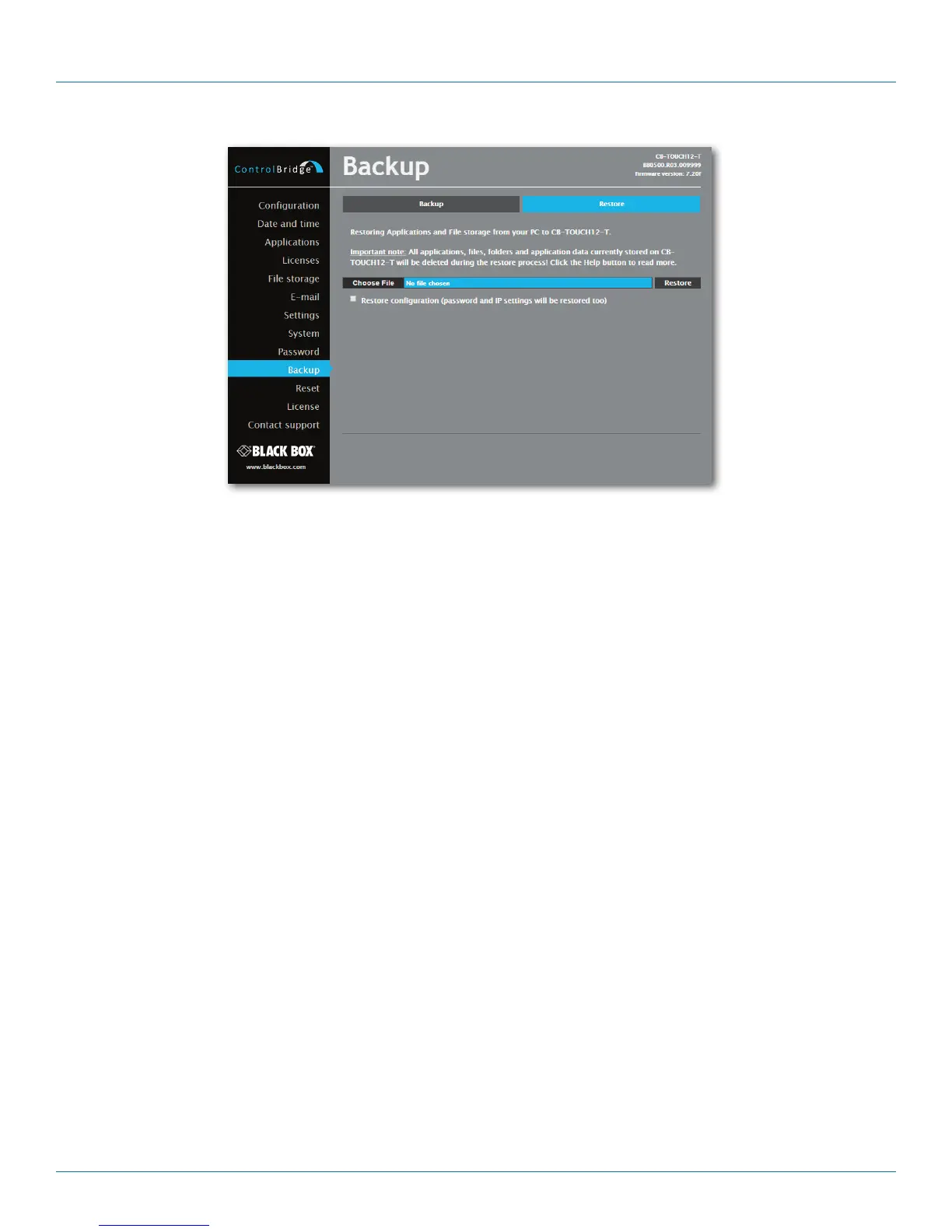
Figure 8-17. Restore screen.
READ ALL IMPORTANT NOTES THAT FOLLOW BEFORE USING THIS OPERATION!
The page is used for the restoring of all applications, files and folders. Restore copies of all applications, files, and folders from a
backup archive on the PC to their corresponding locations on the ControlBridge Unit.
To start the restore process, select the desired backup archive, then click the Restore button. The restore process can take up to
10 minutes, depending on the size of the files being restored.
If you want ControlBridge Unit’s settings to be restored, too, check the “Restore configuration” box. You can access the
ControlBridge Unit’s settings via the Configuration, Date and time, and Password menus.
IMPORTANT NOTE: Actual password and IP settings will be restored, too. The restore process takes from 1 to 10 minutes,
depending on the sizes of the restored files.
IMPORTANT NOTE: When restoring files, the running application stops and all applications, files, and folders currently stored in
the ControlBridge Unit will be deleted! If you want to retain them, use the Backup command before the
Restore command.
NOTE: To see the backed-up/restored applications, click the Applications menu. To see backed-up/restored files and folders, click
the File Storage menu.


 To Next Page
 Loading...