Max Express Ethernet Switch LB9217A-R2 & Applicable Modules
17
Port-based VLAN & Settings
The 17-Port Switch allows up to sixteen port-based VLAN domains. Assign each
port to a VLAN group or a couple of VLAN groups according to accessibility
needs.
The VLAN setting: follow these steps to assign VLAN groups.
y Move the cursor to VLAN1 ~ 16 column
y Move the cursor and select a port
y Press [SPACE] and show V to the desired port
y Press [ENTER] to apply and save the setting
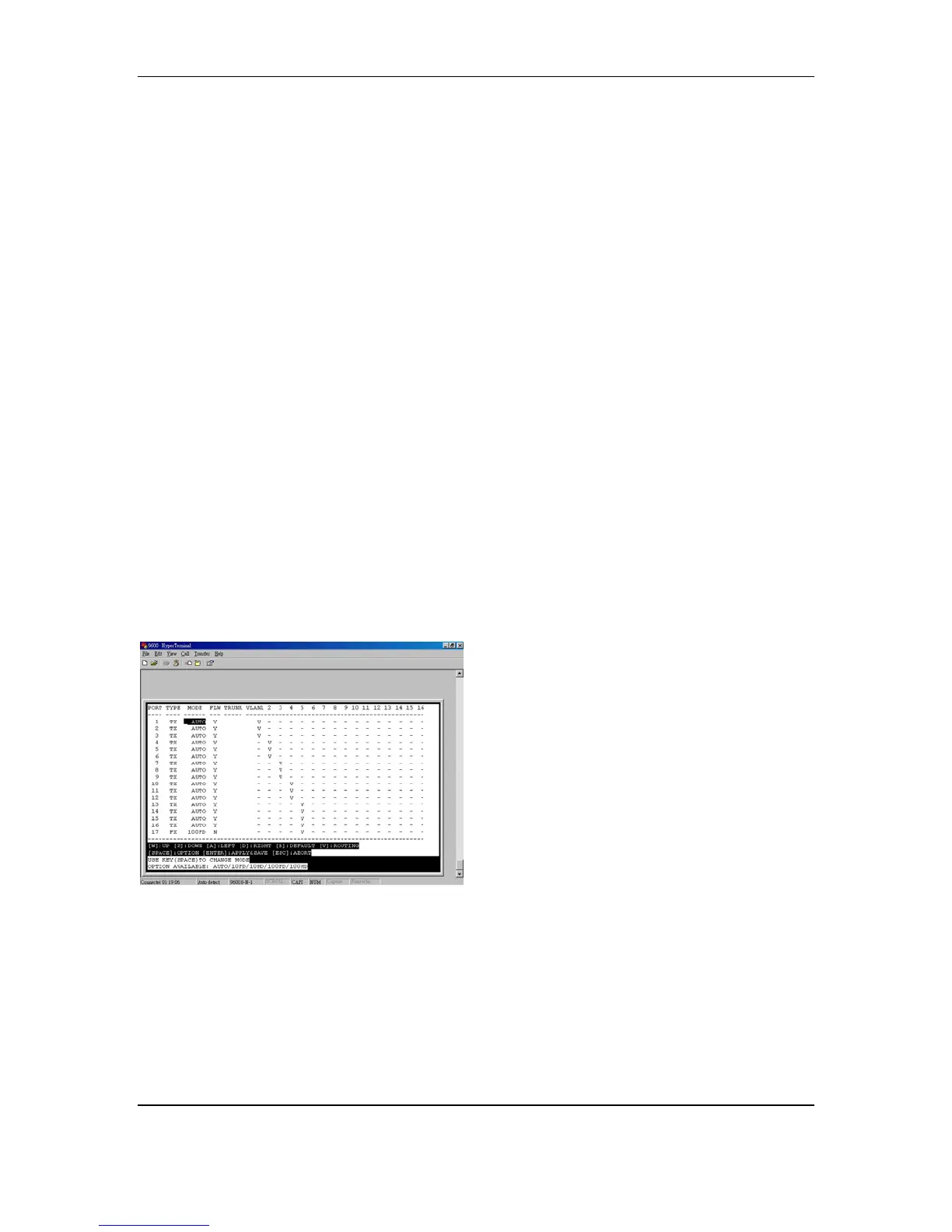
For example, here we have the port 17 assigned as routing (uplink) port. The port
1 ~ port 16 are divided into five different VLAN groups (VLAN 1, 2, 3, 4, and 5).
VLAN 1: port 1, 2, 3
VLAN 2: port 4, 5, 6
VLAN 3: port 7, 8, 9
VLAN 4: port 10, 11, 12
VLAN 5: port 13, 14, 15, 16, 17
For example, the port 1, 2, and 3 (VLAN 1) can not communicate with the port 4,
5, and 6 (VLAN 2).
The routing (uplink) port setting: follow these steps to have an assigned
routing (uplink) port. Then separate the rest each port to a different VLAN group.
The rest each port can only uplink through the assigned routing (uplink) port and
can’t communicate with each other.
y Enter [V] from the Main Menu
y Move the cursor to a desired routing (uplink) port
y Press [SPACE] and show V to the desired routing (uplink) port



 To Next Page