EasyManua.ls Logo

Black Box VSC-VGA-TV - User Manual

Black Box VSC-VGA-TV
28 pages
Print Icon
To Next Page IconTo Next Page
Loading...
BL A C K B O X
®
Converts PC and HDTV to interlaced NTSC/PAL
and Component output.
Multi-Format Video Scan Converter
Order toll-free in the U.S.: Call 877-877-BBOX (outside U.S. call 724-746-5500)
FREE technical support 24 hours a day, 7 days a week: Call 724-746-5500 or fax
724-746-0746 • Mailing address: Black Box Corporation, 1000 Park Drive, Lawrence,
PA 15055-1018 • Web site: www.blackbox.com • E-mail: info@blackbox.com
Customer
Support
Information
July 2010
VSC-VGA-TV
Question and Answer IconNeed help?

Do you have a question about the Black Box VSC-VGA-TV and is the answer not in the manual?

Summary

Specifications

Overview

Introduction

Provides an introduction to the VSC-VGA-TV as a high-performance Multi-Format Video Scan Converter.

Features

Highlights the key features and capabilities of the Multi-Format Video Scan Converter.

Whats Included

Details the items provided in the product package.

Hardware Description

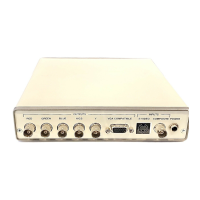
Describes the physical layout and components of the converter's front and back panels.

Remote Control Functions

RS-232 Software Operation

Software Installation

Step-by-step guide for installing the scan converter software on a PC.

Main Panel Interface

Overview of the main software screen, including status indicators and basic controls.

Magnifier Function

Explains how to use the magnifier feature for PC input within the software.

Software Interface Controls

Details under/overscan, prompt messages, system options, and window management features.

Software Information and Aspect Ratio

Provides software version details and options for adjusting the screen's aspect ratio.

Image Adjustment Controls

Explains how to use pan/position and size/expand features for image scaling.

Output Format and Video Settings

Covers selecting output formats and adjusting video parameters like brightness and sharpness.

Screen Freeze Feature

Describes the functionality to freeze the displayed image.

Connection and Installation

Summary

Specifications

Overview

Introduction

Provides an introduction to the VSC-VGA-TV as a high-performance Multi-Format Video Scan Converter.

Features

Highlights the key features and capabilities of the Multi-Format Video Scan Converter.

Whats Included

Details the items provided in the product package.

Hardware Description

Describes the physical layout and components of the converter's front and back panels.

Remote Control Functions

RS-232 Software Operation

Software Installation

Step-by-step guide for installing the scan converter software on a PC.

Main Panel Interface

Overview of the main software screen, including status indicators and basic controls.

Magnifier Function

Explains how to use the magnifier feature for PC input within the software.

Software Interface Controls

Details under/overscan, prompt messages, system options, and window management features.

Software Information and Aspect Ratio

Provides software version details and options for adjusting the screen's aspect ratio.

Image Adjustment Controls

Explains how to use pan/position and size/expand features for image scaling.

Output Format and Video Settings

Covers selecting output formats and adjusting video parameters like brightness and sharpness.

Screen Freeze Feature

Describes the functionality to freeze the displayed image.

Connection and Installation

Black Box VSC-VGA-TV Specifications

General IconGeneral
BrandBlack Box
ModelVSC-VGA-TV
CategoryMedia Converter
LanguageEnglish

Related product manuals