724-746-5500 | blackbox.com
Page 14
Chapter 2: Overview
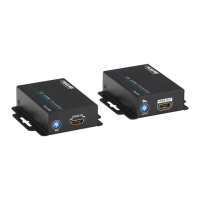
Table 2-2. Receiver components.
Number Component Description
1
+5-VDC power
connector
Connects to a 5-VDC power
supply unit.
2
RJ-45 connector:
HDMI signal in
Plug in a CAT5/5e/6 cable that will
link to the transmitter.
3 Signal level
Adjusts the 8-level signal equalization
control to the received HDMI signals.
The HDMI signal level varies from 0
(strongest) to 7 (weakest) for
respective transmission length from
the longest possible range to a short
distance. Dial the Signal Level from 7
to 0 and stop turning the rotary
switch when the audio/video is
playing normally. Inappropriately
setting the signal level might damage
the extender.
4 HDMI signal out
Connect to an HDMI display with an
HDMI male-male cable.


 To Next Page
 Loading...