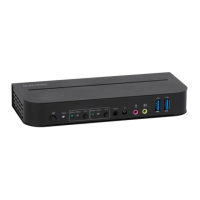
This document describes the Blackbird™ HDBaseT™ 5x1 Seamless Presentation Scaler/Switch, a device designed for controlling and managing video and audio signals. The device can be controlled via an RS-232 serial connection, using either a computer with RS-232 control software or its built-in Web GUI.
Function Description
The Blackbird HDBaseT™ 5x1 Seamless Presentation Scaler/Switch acts as a central hub for various video and audio inputs, scaling and switching them seamlessly to an output. It supports multiple input types including HDMI, DisplayPort, and VGA, and provides HDMI and HDBaseT™ outputs. The device is capable of managing audio signals, including microphone input, and offers various resolution and image adjustment capabilities. It also features automatic and manual switching modes, as well as CEC (Consumer Electronics Control) functionality for integrated control of connected devices.
Usage Features
Control Methods:
The device offers flexible control options:
- RS-232 Serial Connection: A 3-pin to DB-9 RS-232 cable is included for connecting a PC. If the PC lacks a DB-9 port, a USB to Serial adapter cable (P/N 3726, sold separately) can be used.
- Web GUI RS-232 Control: The device has a built-in Web GUI with an RS232 tab, allowing users to issue RS-232 commands through a web interface. This interface allows selection of the control port (Local for the scaler/switch or HDBT for the HDBaseT™ receiver), setting baud rates (fixed at 9600 for Local, variable for HDBaseT™ receiver: 2400, 4800, 9600, 19200, 38400, 57600, and 115200), typing commands, and specifying hexadecimal format if needed.
- Third-Party RS-232 Control Software: Users can utilize third-party software like CommWatch.exe to send RS-232 commands. Communication parameters for such software should be set to: Baud Rate: 9600, Data Bits: 8, Stop Bits: 1, Parity Bits: None.
Serial Control Modes:
The device supports two serial control modes for managing both the scaler/switch and a connected HDBaseT™ receiver, or just the scaler/switch:
- Serial Control Mode 1 (Command 50787%): Enables control of both the scaler/switch and the HDBaseT™ receiver from the RS-232 port on the scaler/switch. This is suitable for local connections where the PC and third-party device are directly connected to the system.
- Serial Control Mode 2 (Command 50788%): Enables control of the scaler/switch from its RS-232 port or from the RS-232 port on the HDBaseT™ receiver. This mode is useful for remote connections where the PC is connected to the HDBaseT™ receiver.
Switching Commands:
The device provides commands for selecting various inputs and managing auto-switching:
- Input Selection: Commands like 50701% (1-HDMI/MHL), 50702% (2-HDMI), 50703% (3-HDMI), 50704% (4-DP), and 50705% (5-VGA) allow direct switching to specific video inputs.
- VGA Input Configuration: The 5-VGA input can be configured to accept different signal types: 50683% for VGA signals, 50684% for Component (YPbPr) signals, and 50685% for Composite (CVBS) signals.
- Auto Switching: Commands 50785% and 50786% enable and disable auto-switching, respectively.
Audio Commands:
Comprehensive audio control is available:
- Source Audio Muting: Commands 50600% (enable) and 50601% (disable) control muting of the source audio.
- Source Audio Volume: Commands 50602% (increase), 50603% (decrease), and 510xx% (direct set) adjust the source audio volume (range 00-60).
- Microphone Audio Muting: Commands 50722% (enable) and 50723% (disable) control microphone muting.
- Microphone Audio Volume: Commands 50724% (increase), 50725% (decrease), and 508xx% (direct set) adjust microphone audio volume (range 00-60).
- VGA Audio Muting: Commands 50726% (enable) and 50727% (disable) control VGA audio muting.
- DisplayPort® Audio Muting: Commands 50728% (enable) and 50729% (disable) control DisplayPort® audio muting.
- DisplayPort® Audio Source: Commands 50706% (embedded) and 50707% (external 3.5mm) select the audio source for the DisplayPort® input.
Resolution Commands:
The device supports various output resolutions:
- Direct commands are available to set the output resolution to specific values, such as 1360x768 (50619%), 1024x768 (50626%), 1280x720 (50627%), 1280x800 (50628%), 1920x1080 (50629%), 1920x1200 (50620%), 1600x1200 (50621%), and 1600x900 (50624%).
Setup Commands:
These commands manage various display and device settings:
- Front Panel Lock: Commands 50604% (lock) and 50605% (unlock) control access to the front panel buttons.
- Image Adjustments: Commands for brightness (502xx%), contrast (503xx%), saturation (504xx%), and sharpness (505xx%) allow fine-tuning of the output image (range 00-99).
- Color Temperature: Command 50607% cycles through color temperature settings (Cool, Medium, Warm, User).
- Aspect Ratio: Command 50608% cycles through aspect ratio settings (16:9, 4:3, Auto).
- Picture Mode: Command 50614% cycles through picture modes (Dynamic, Standard, Mild, User).
- Freeze Output: Commands 50655% (freeze) and 50656% (cancel freeze) control the output image freeze function.
- Icon Display Control: Commands like 50646% (enable MIC Volume Icon), 50647% (disable MIC Volume Icon), 50761% (disable Source Mute Icon), 50762% (enable Source Mute Icon), 50763% (disable MIC Mute Icon), 50764% (enable MIC Mute Icon), 50765% (enable Freeze Icon), 50766% (disable Freeze Icon), 50644% (enable Channel Status), and 50645% (disable Channel Status) manage the display of various on-screen icons.
- VGA Input Auto-Adjust: Command 50606% automatically adjusts the screen image for VGA inputs.
- MIC Noise Detecting: Commands 50688% (enable) and 50689% (disable) control microphone noise detection.
- HDCP™ Modes: Commands 50791% (Active mode), 50792% (Manual mode), 50793% (enable HDCP output), and 50794% (disable HDCP output) manage HDCP functionality.
- EDID® Management: Commands 50767% (restore default), 50768% (bypass), and 50769% (upload custom) manage EDID® settings. Command 50782% copies resolution data from the connected display to HDMI® inputs.
- Automatic Power Off: Commands 50174% (disable), 50715% (1 minute), 50716% (2 minutes), 50717% (5 minutes), and 50718% (10 minutes) configure the automatic power off function when there is no input.
- Standby Mode: Commands 50697% (exit) and 50797% (enter) control standby mode.
Menu Commands (Simulating Remote Control):
The device allows simulation of remote control button presses via RS-232 commands:
- 50609% (OK), 50610% (LEFT), 50611% (RIGHT), 50612% (UP), 50613% (DOWN), and 50616% (MENU/OSD Enter).
Inquiry Commands:
These commands allow users to query the current status of various settings:
- Volume Levels: Command 50630% displays source and MIC volume levels.
- Selected Input: Command 50631% displays the currently selected input.
- Output Resolution: Command 50632% displays the current output resolution.
- Image Picture Mode: Command 50633% displays the current image picture mode.
- Image Aspect Ratio: Command 50635% displays the current image aspect ratio.
- Brightness, Contrast, Saturation, Sharpness: Commands 50636%, 50637%, 50638%, and 50639% display these respective image settings.
- Color Temperature: Command 50640% displays the current color temperature setting.
- Volume Icon Display Status: Command 50651% displays the status of the Volume Icon display.
- DisplayPort® Audio Source: Command 50712% displays the audio source for the DisplayPort® input.
- Mute Status: Commands 50751% (source audio) and 50752% (MIC audio) display their respective mute statuses.
- Freeze Status: Command 50753% displays the freeze status.
- Panel Lock Status: Command 50754% displays the front panel lock status.
- System Version: Command 50699% displays the system version.
- MIC Noise Detecting Status: Command 50690% displays the MIC noise detecting status.
- HDCP™ Status: Command 50795% inquires about HDCP / Manual HDCP status.
- EDID® Status: Command 50770% queries the EDID® status.
- Automatic Power Off Status: Command 50719% displays the automatic power off time/status.
- IP Address: Command 50657% displays the device's IP address.
- Overall Status: Command 50783% displays the status of several settings, including source volume, MIC volume, input, resolution, LINE, MIC, switch status, VGA, DP, and DP audio source.
Adjustment Commands (Screen Output):
These commands allow for precise adjustment of the screen output:
- Enable/Disable Adjusting: Commands 50678% (enable) and 50679% (disable) control screen output adjusting.
- Image Position: Commands 50670% (move left), 50671% (move right), 50672% (move up), and 50673% (move down) adjust the image position.
- Image Width: Commands 50674% (increase) and 50675% (decrease) adjust the image width.
- Image Height: Commands 50676% (decrease) and 50677% (increase) adjust the image height.
Output Port Control:
- HDMI® Output: Commands 50730% (disable) and 50731% (enable) control the HDMI® output port.
- HDBaseT™ Output: Commands 50732% (disable) and 50733% (enable) control the HDBaseT™ output.
- Combined HDMI® and HDBaseT™ Output: Command 50734% enables both HDMI® and HDBaseT™ outputs.
CEC Commands:
The device supports CEC functionality for controlling connected devices:
- Enable/Disable CEC: Commands 50686% (enable) and 50687% (disable) control HDMI CEC functionality.
- CEC Control Commands: Commands like 50901% (Play/Pause), 50902% (Stop), 50903% (Menu), 50904% (Reverse), 50905% (Forward), 50906% (Up), 50907% (Down), 50908% (Left), 50909% (Right), 50910% (Select/Confirm), and 50911% (Exit) send corresponding CEC commands.
- Power Control via CEC: Commands 50913% (power on source devices), 50914% (power off source devices), 50915% (power on displays), and 50916% (power off displays) allow power management of connected CEC-enabled devices. Note that CEC commands with a gray background are only functional when CEC is enabled.
Important Notes on Usage:
- The
xx in commands are variables, requiring a specific value within the defined range.
- All commands are case-sensitive and require a trailing percent sign (%).
- Screen output adjustment commands are only functional when screen output adjusting is enabled (command 50678%).
- When HDCP™ is set to Manual mode (50792%), seamless switching to HDMI® and HDBaseT™ outputs is possible regardless of HDCP ON (50793%) or OFF (50794%). However, if HDCP is set to Active mode (50791%), seamless switching is not possible.
Maintenance Features
Software Update:
- Firmware Update: Command 50698% performs a software update using an update file on a flash drive plugged into the FIRMWARE port.
Factory Reset:
- Reset Settings: Command 50617% resets all settings on the scaler/switch to their factory default values.

 Need help?
 General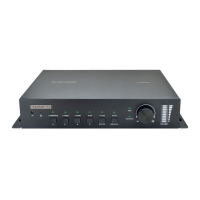

 To Next Page