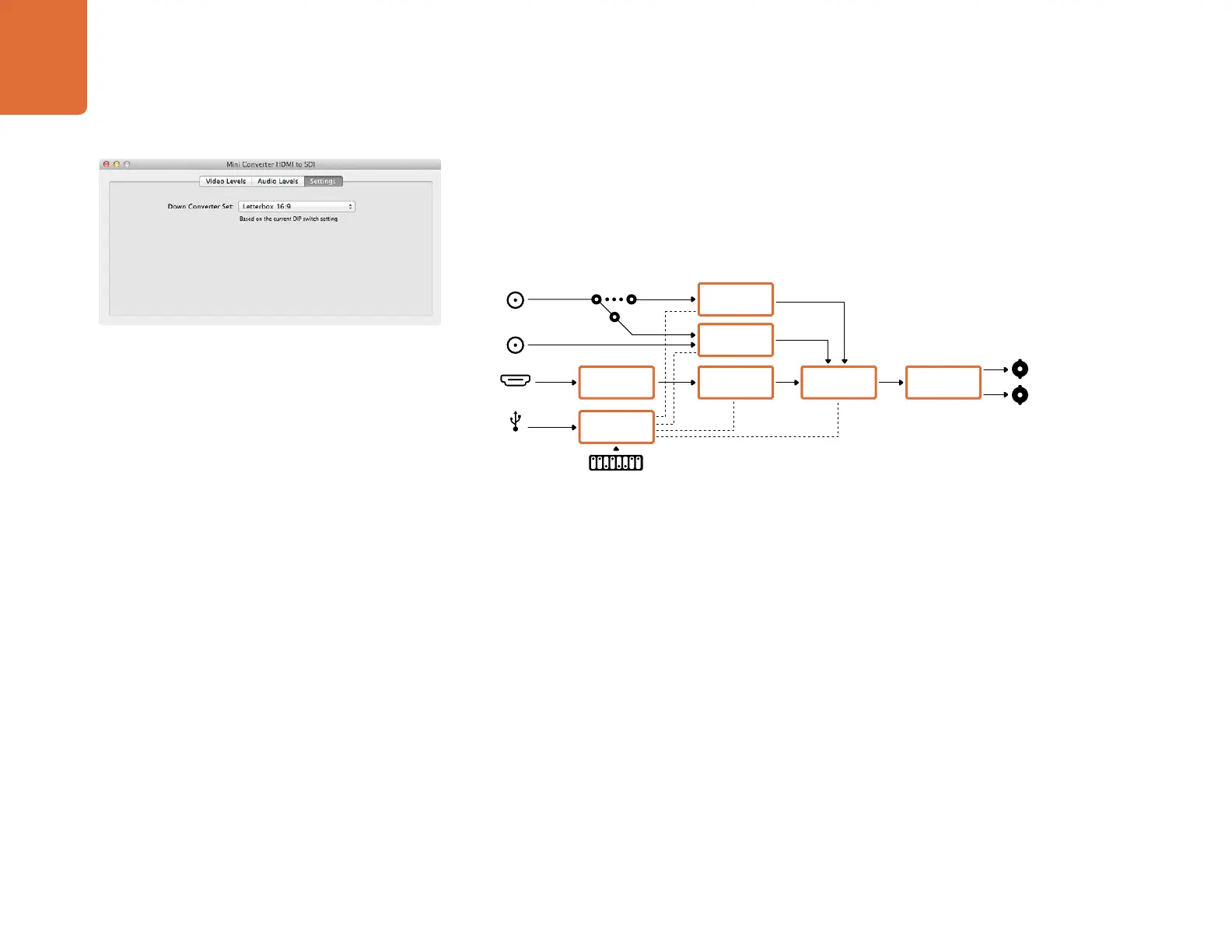
Mini Converter HDMI to SDI
19
The Settings pane lets you select down conversion aspect ratio options. However, your settings will need
to be set by mini switch 1 if you want to retain them after disconnecting your converter from the Converter
Utility software.
Mini Converter HDMI to SDI Block Diagram
Adjust down conversion settings using Blackmagic Converter
Utility.
Analog or AES/EBU
Audio Switch
Central
Processor and
Firmware
SDI Out
SDI Out
Customizable
Video Processor
SDI Audio
Embedder
AES/EBU
Sample Rate
Converter
Audio Analog to
Digital with
Balanced Input
HDMI Video and
Audio Decoder
Automatic SDI/
HD-SDI/3G HD-
SDI Cable Driver
USB
Mini Switches
HDMI In
Right Analog In
Left Analog In
or AES/EBU













 To Next Page