Page 12
SET UP & USE
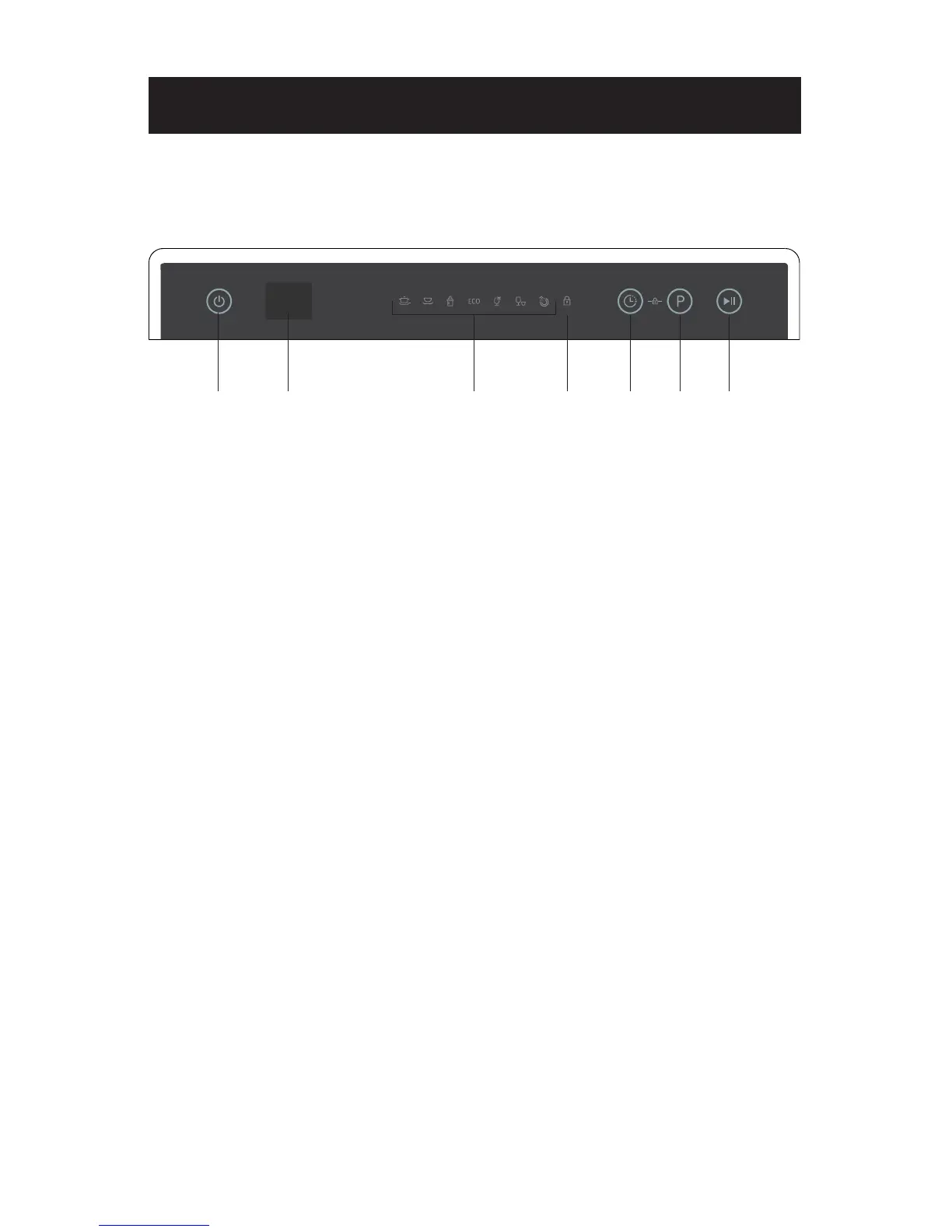
CONTROL PANEL
321
1. Power Button: To turn on/o the power supply.
2. Display: To show delay time, rinse-aid warming and Error codes.
3. Program indicator lights: Identifies the selected program.
4. Child lock indicator light: To press Delay Button and Washing Program Selector
Button at the same time.
5. Delay Button: Press the button to delay the washing time.
6. Washing Program Selector: Press the button to select a washing program.
7. Start/Pause Button: Press this button to start or pause the dishwasher.
4 5 6 7


 To Next Page