ENGLISH
Page 13
SET UP & USE
AIR CONDITIONER FEATURES
WARNING:
IMPORTANT SAFETY INSTRUCTIONS before operating this appliance.
CAUTION: Please always wait 3 minutes when turning unit off then on again, and when
changing from cool to fan and back to cool. This prevents compressor from
overheating & possible circuit breaker tripping.
To begin operating the air conditioner, follow these steps:
1. Set the thermostat to the highest number (coldest or cooler setting).
2. Set the selector control to the highest COOL setting.
comfortable.
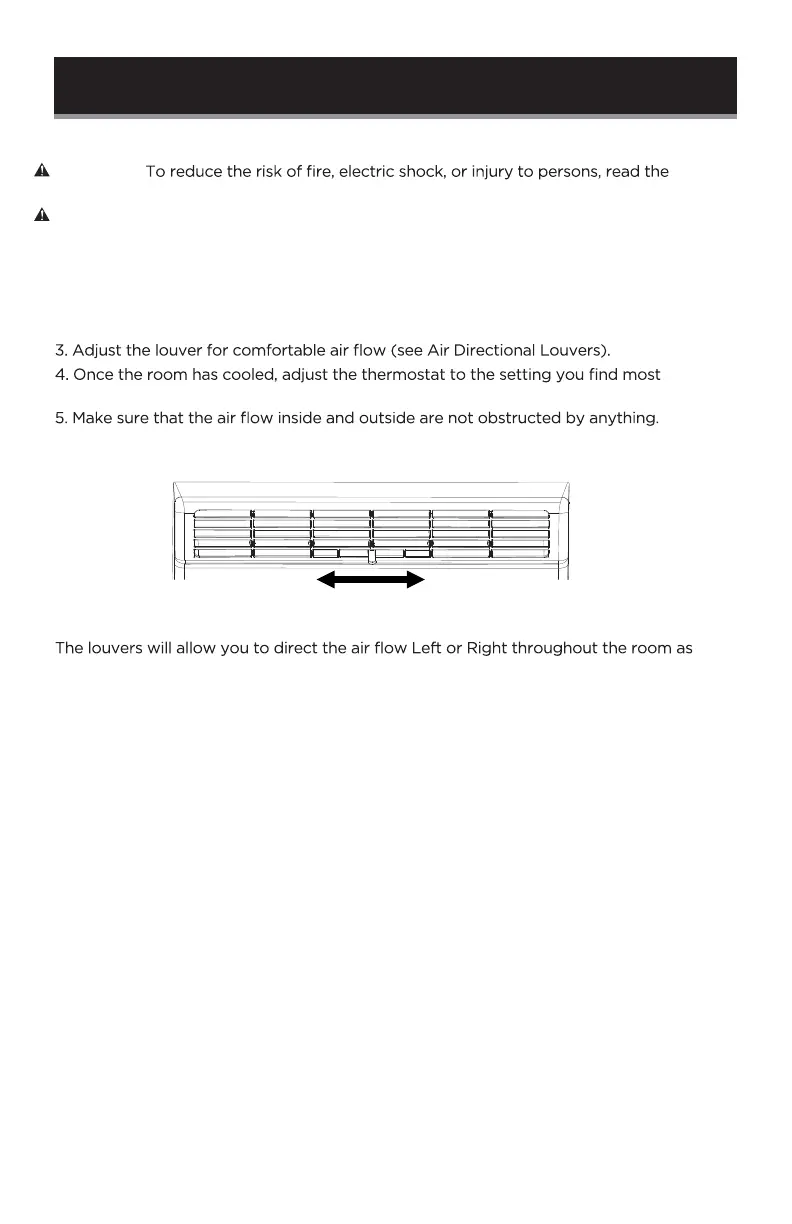
AIR DIRECTIONAL LOUVERS
needed. Move the Levers from side to side until the desired Left/Right direction is
obtained.
Lever



 To Next Page