Page 22
SMART MODE
• In SMART model the air conditioner will make automatic selections based on
the room temperature.
FOR COOL ONLY MODELS
• The air conditioner will automatically operate in FAN mode when the room
temperature is below 73˚F (23˚C).
• It will operate in COOL mode when the room temperature is above 73˚F
(23˚C).
FOR COOL AND HEAT MODELS
• The air conditioner will automatically operate in HEAT mode when the room
temperature is below 68˚F (20˚C).
• It will operate in FAN mode when the room temperature is from 68˚F (20˚C) to
73˚F (23˚C).
• It will operate in COOL mode when the room temperature is above 73˚F
(23˚C).
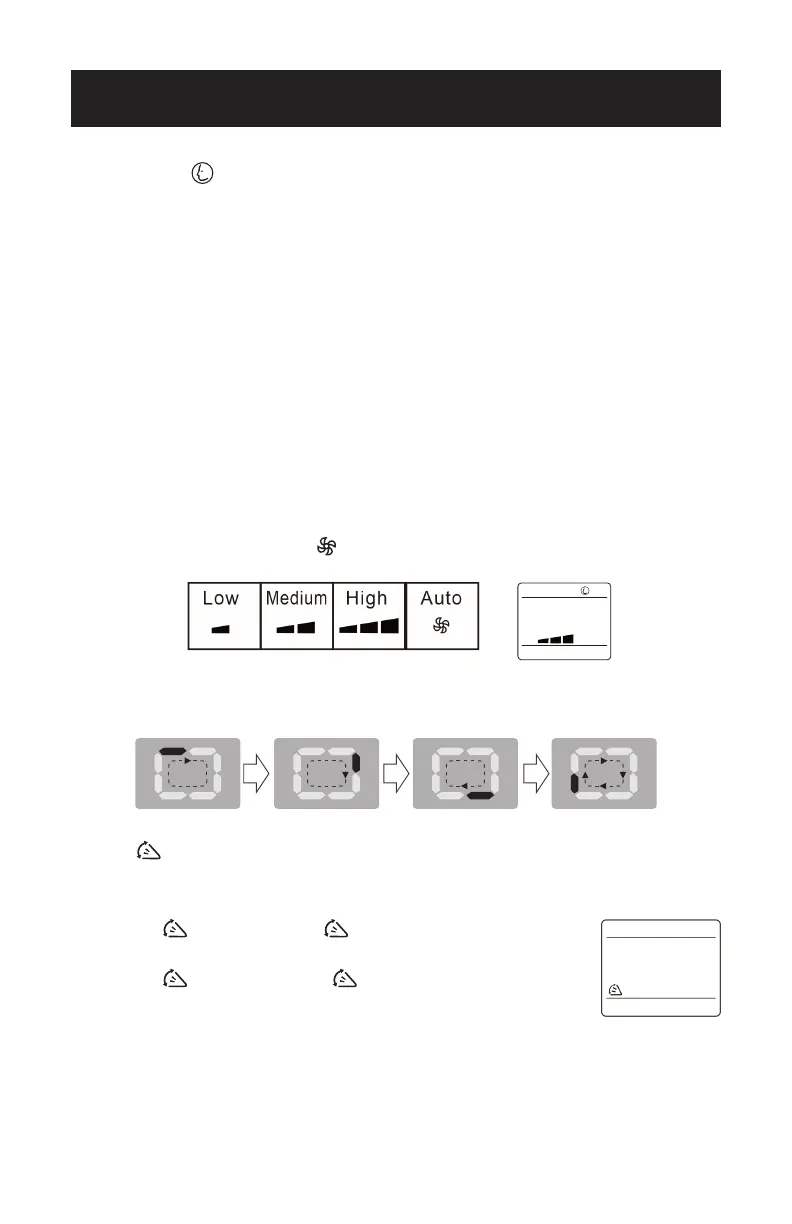
• Press the FAN Speed button
to select HIGH, MED, LOW or AUTO fan speed.
• The control panel on the air conditioner LED display will indicate the below in
this mode.
SWING
BUTTON
This button will activate the air swing of the louvers while in COOL, DEHUMDIFY
and FAN modes.
• Press the
button , and the symbol will illuminate on the
LED screen of the remote. The deector will start to swing.
• Press the
button again, the symbol disappears.
The deector will stop swinging.
SET UP & USE



 To Next Page