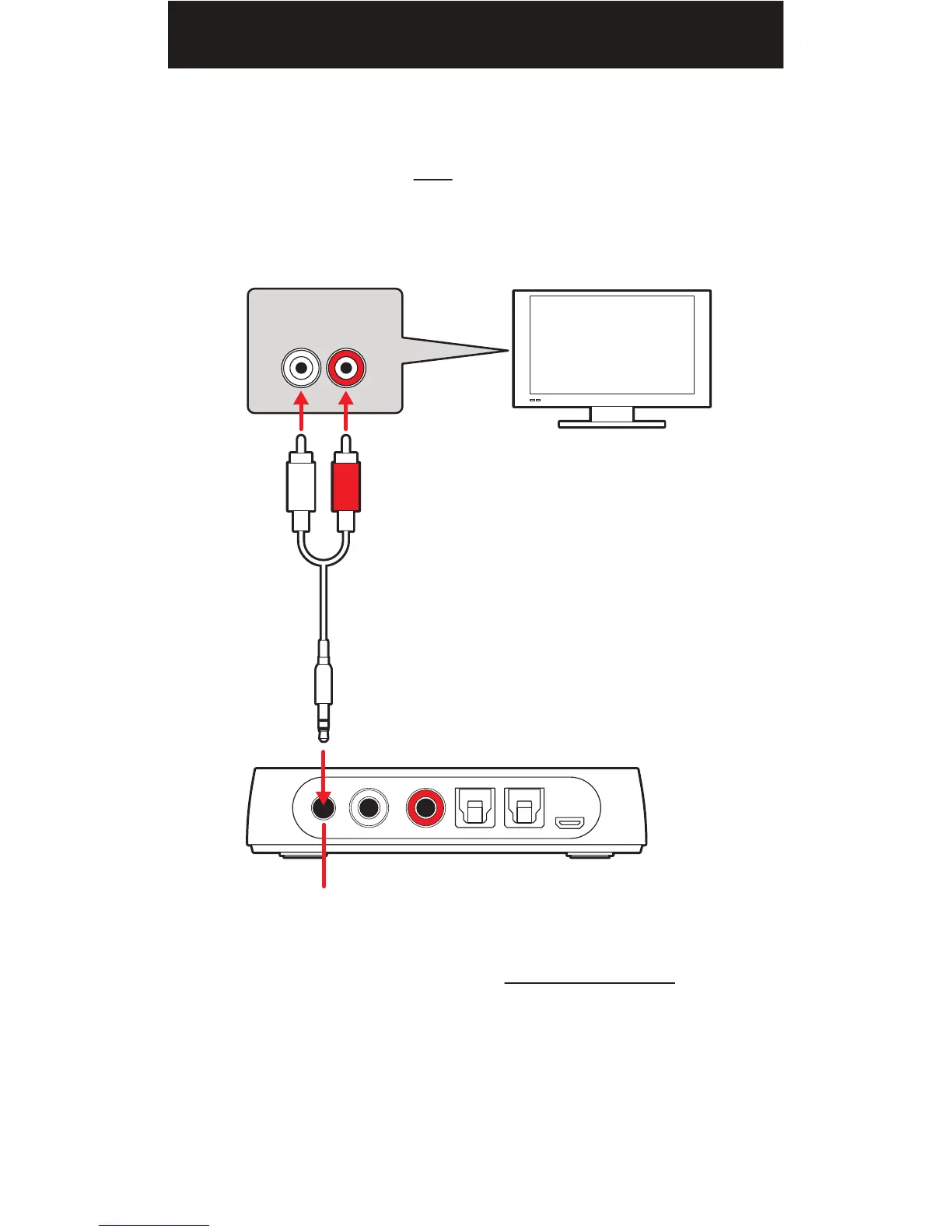
2. Connect the white and red plugs of the supplied RCA/3.5mm audio cable
to the (L) and (R) AUDIO OUT on your television's connection panel.
NOTE: Ensure the cables are NOT plugged into the TV’s audio input.
3. Connect the 3.5mm stereo plug to the audio transmitter's "STEREO IN"
port as shown below.
NOTE: The Private Listening feature DOES NOT SILENCE the audio
that may be playing through your television's built-in speakers, sound bar or
other connected A/V equipment.
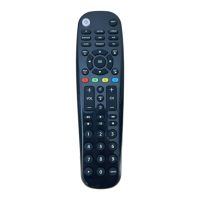
• You can use the equipment manufacturer's remote or the universal remote's
volume, mute or power controls to silence the audio.
• On some televisions, you may need to manually switch the audio output
from the built-in speakers to the connected audio transmitter equipment.
Please consult your equipment manufacturer's manual for instructions.
L R
RCA/3.5MM AUDIO CABLE
(included)
STEREO IN
(3.5mm audio jack)
AUDIO
TRANSMITTER
RCA AUDIO OUT
TV
17


 To Next Page