PRIVATE LISTENING THROUGH YOUR REMOTE
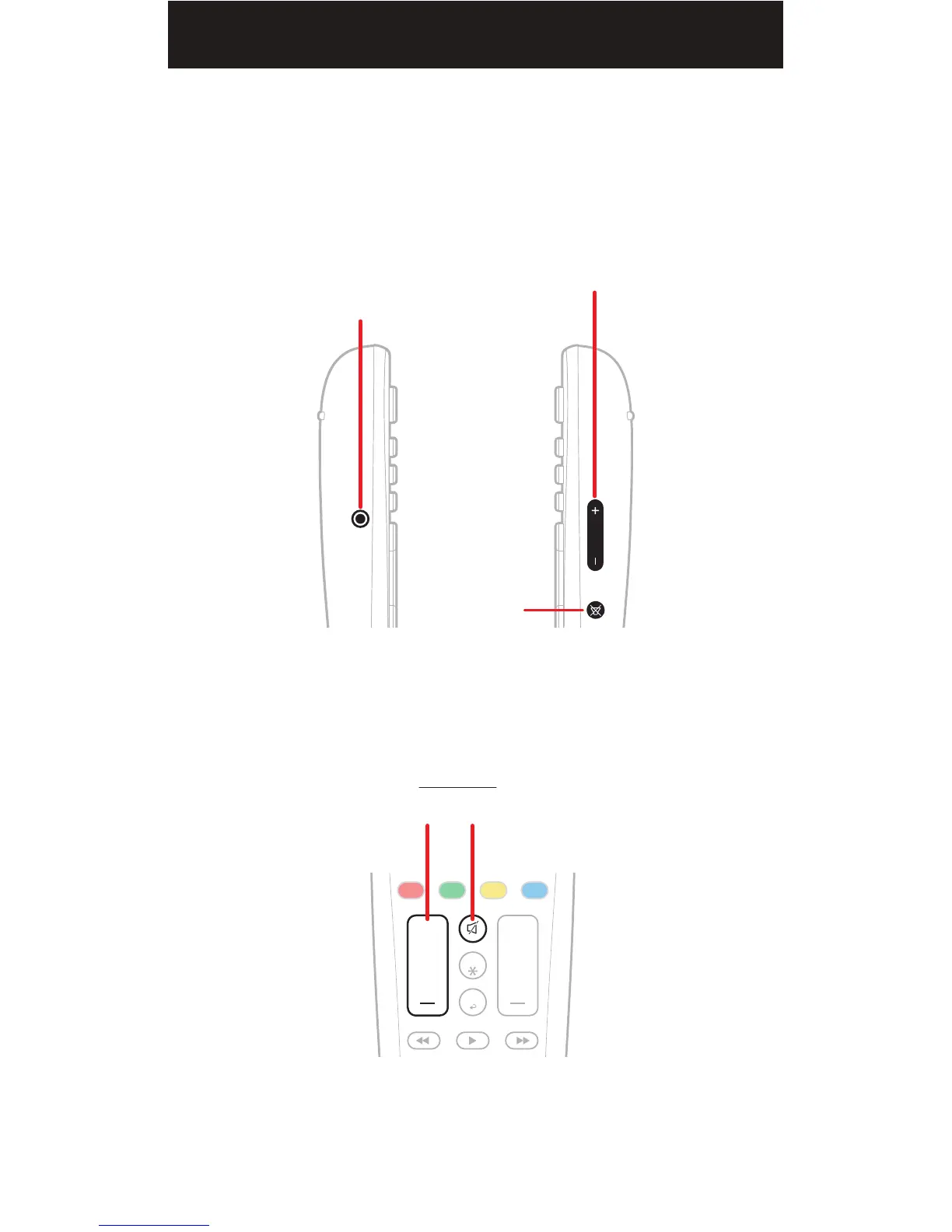
You may control the headphone‘s audio volume with the HEADPHONE
VOLUME buttons located on the right side of the remote.
To mute and unmute the headphone audio, press the HEADPHONE
MUTE button located on the right side of the remote.
The buttons below ARE NOT used for controlling the
headphone’s audio volume.
RIGHT
SIDE
LEFT
SIDE
HEADPHONE
VOLUME
HEADPHONE
MUTE
3.5MM
HEADPHONE JACK
(enables/disables
Private Listening)
FRONT


 To Next Page