Activating Private Listening
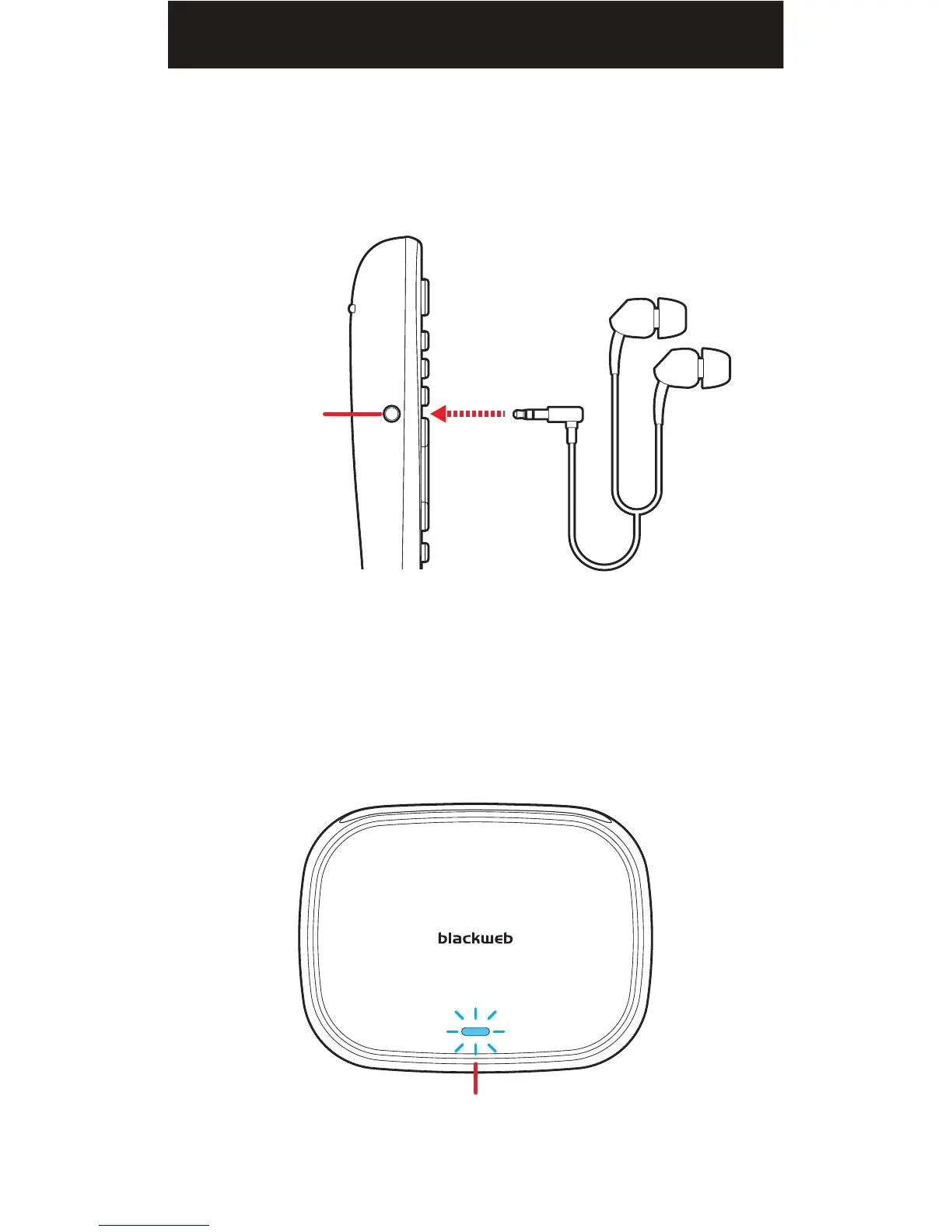
To activate the universal remote's Private Listening feature, simply plug
in a pair of headphones into the 3.5MM HEADPHONE JACK located on
the left side of the remote.
After inserting the headphones, the audio transmitter’s LED indicator will
flash three times and play a beep in the headphones indicating when the
Private Listening feature has been activated.
STEREO HEADPHONES
Plug in
LEFT
SIDE
3.5MM
HEADPHONE
JACK
LED INDICATOR
Flashes 3 times
21


 To Next Page