7
EN
6
EN
2/ DESCRIPTION OF YOUR APPLIANCE
• PRESENTATION OF THE CONTROL PANEL
On/Off:
Press this button to start your dishwasher.
Choosing a programme:
briefly press one button or the other in suc-
cession to select your programme.
AUTO:
Press this button to select an automatic pro-
gramme.
Set :
• A long press: Access to the Settings
menus:
- Set the current time,
- Set the water softener,
- Activate or deactivate the “Regenerating
Salt” and/or “Rinsing Product” lights, or the
“AUTO 4/1” function (depending on the water
softener setting on the following pages).
- Beep at end of programme,
- Set screen brightness.
The screen
shows you the current time,
the finishing time, the remaining time for the
programme and the parameter settings.
Programme progress :
This shows you the programme’s
progress.
Delaying the end of a programme:
Press one of the buttons or the other to
select the time for the programme to end.
Start/Cancel:
Briefly press this button
to start your programme.
If you make an error, to cancel a selection or
cancel a programme while it is running, hold
down this button for 3 seconds.
The indicator lights:
SSaalltt::
When lit, it indicates lack of regenerating salt
Rinsing liquid:
When lit, it indicates lack of rinsing product
Multipurpose products:
lit; shows you that the “AUTO 4/1” feature is
turned on and that the programmes are now
automatically adjusted if a multi-function tablet
is used.
GG
FF
EE
DD
CC
BB
AA
Advice:
A short audible signal (beep) confirm the button’s selection, except for the “On/Off” button.
FF
Fig. 02
AA
EE
CC
GG
DD
2/ DESCRIPTION OF YOUR APPLIANCE
Advice:
This user’s guide is applicable to several models. There may be some slight differences
in the details and the equipment between your appliance and the descriptions provided here.
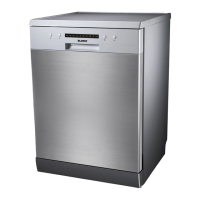
• GENERAL PRESENTATION OF THE DISHWASHER
Fig. 01
AA
BB
CC
DD
EE
FF
GG
HH
II
Upper basket
Washing products dispenser
Anti-blocking gauge wire
Lower sprinkler arm
Regenerating salt tank
Waste filter
Main filter
Rinsing product dispenser
Description plate (After-Sales
Ref)
II
HH
GG
FF
EE
DD
CC
BB
AA
BB


 To Next Page