13
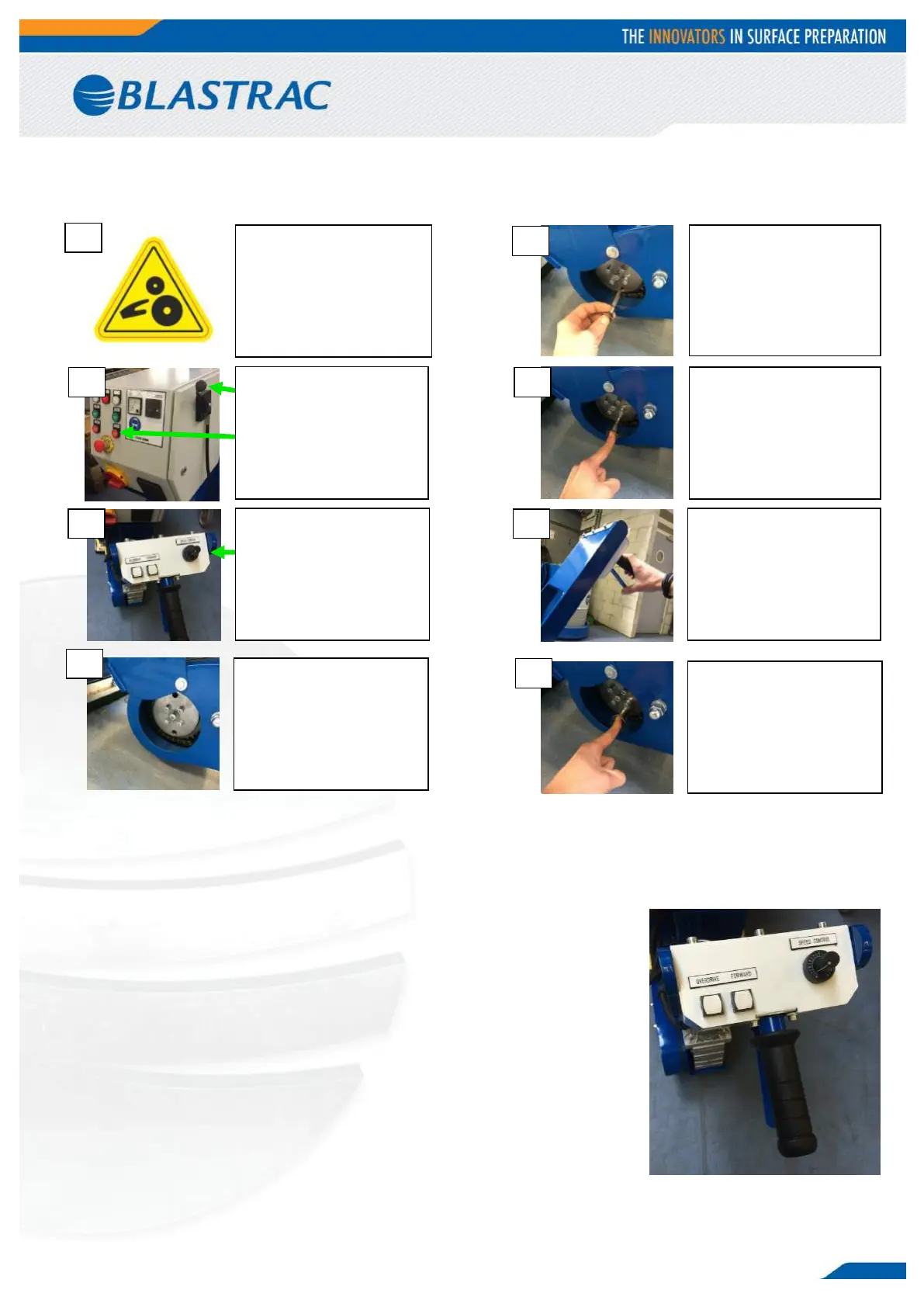
4.7 Connecting the drive motor to the traction wheel
4.8 Driving with connected drive motor
Set the driving speed at the desired speed using the speed control knob. Place
1 hand on the handle grip and squeeze the switch lever, this will move the
machine towards you, this is the normal working direction for blasting. Release
the switch lever to stop. The driving speed can be adjusted while driving by
turning the speed control knob.
The OVERDRIVE-button makes it possible to drive at maximum speed without
having to adjust the speed control knob. To do so, press and hold the
OVERDRIVE-button while driving. WARNING! Mind your surroundings at
maximum speed!
The FORWARD-button is used to drive forward, press and hold the button to do
so. WARNING! Do not drive forward while blasting! This function is only used
for maneuvering without blasting. Make sure the dust hose and electrical cable
are out the way when driving forward.


 To Next Page