Need help?
Do you have a question about the Blatchford Orion3 and is the answer not in the manual?
Instructions for charging the device, including On/Off switch position and LED indicator.
Guidance on operating the device in low temperatures and potential impact on knee function.
Importance of cleaning magnetic charging surfaces for proper connection.
Details the device's exclusive use as part of a lower limb prosthesis for a single user.
Outlines the microprocessor-controlled features, app setup, battery life, and user modes.
Covers essential safety, handling, environmental hazards, activity limits, and user precautions.
Details who performs maintenance, charger use, driving safety, and magnetic field considerations.
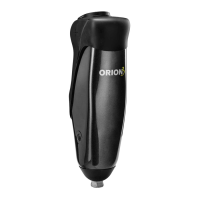
Lists the primary components of the Orion3 knee prosthesis, such as frame, chassis, and cylinder.
Highlights key usage points, including limitations on heel height, stairs, and reporting performance changes.
Provides guidance on cleaning the device, magnetic surfaces, and environmental precautions.
Details how to store, secure, and package the device for transport or return.
Emphasizes switching off and securely packing the unit for transport to prevent activation.
Crucial safety information for charging, including battery type, temperature, and operational hazards.
Step-by-step guide to charging, including magnetic connection, switch, and LED indicators.
Comprehensive step-by-step guide for charging the device, including LED feedback.
Explains the meaning of different Battery Charger LED states and their corresponding charging status.
Information on how to enable or disable audible alerts for reset confirmation.
Describes the magnetic connection process between the charging connector and terminal.
Warnings about ensuring correct alignment, clean surfaces, and avoiding magnetic interference.
Explains how to check the battery status using the device's [-] button and LED indicator.
A table detailing LED flashes, beeps, and corresponding battery conditions (e.g., fully charged, low charge).
Describes Flexion Lock Mode, its purpose, and how to activate/deactivate it using the device.
Explains Cycling Mode, its free swing function, and crucial warnings about stance control.
Details Training Mode, its fixed resistance setting, and limitations like no Standing Mode.
Instructions for activating and deactivating Cycling Mode using the device's button.
Instructions for switching Training Mode on and off using the device's button.
Details the device's compliance with FCC rules and potential interference guidelines.
Outlines compliance with Industry Canada's RSS standards and radio frequency exposure.
States manufacturer liability and confirms product conformity with EU medical device regulations.
Provides information on the standard warranty period and options for extended warranties.
Instructions for reporting serious incidents related to the device to authorities.
Guidance on proper disposal of electronic components and batteries according to WEEE regulations.
Lists registered trademarks and acknowledges usage licenses for brands like Bluetooth.
 General
| Category | Prosthetic Knee |
|---|---|
| Maximum User Weight | 125 kg (275 lbs) |
| Power Source | Rechargeable Lithium-Ion Battery |
| Control System | Microprocessor |
| Activity Level | K3-K4 |
| Stance Control | Adaptive hydraulic resistance |
| Swing Control | Adaptive hydraulic resistance |
| Water Resistance | IP67 |
| Modes | Multiple Activity Modes |
| Connectivity | Bluetooth |
| Type | Microprocessor-controlled knee joint |
| Battery Life | Up to 3 days (depending on activity level) |
| Features | Real-time adaptation, stumble recovery |

 To Next Page