EasyManua.ls Logo

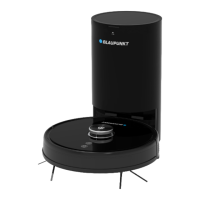
Blaupunkt Bluebot Xtreme - User Manual

Blaupunkt Bluebot Xtreme
74 pages
Print Icon
To Next Page IconTo Next Page
Loading...
USER MANUAL
BLUEBOT XTREME
Product introduction 02 - 16
Installation robot 17 - 21
App installation 22 - 40
Instructions 41 - 51
Maintenance 52 - 63
Others 64 - 74

Questions and Answers

  • C
    Cassie NixonJul 27, 2025
    What to do if my Blaupunkt Vacuum Cleaner Wi-Fi cannot be connected?
    • T
      Traci AveryJul 27, 2025
      If your Blaupunkt Vacuum Cleaner is having trouble connecting to Wi-Fi, there might be a few reasons: * The Wi-Fi signal could be weak (ensure a strong signal). * The Wi-Fi connection might be abnormal (reset the Wi-Fi router, download the latest app, and try reconnecting). * The password could be incorrect. * The Wi-Fi might be on the 5 GHz frequency band or a mixed band (ensure it is split to 2.4 GHz, as the cleaner only uses this frequency).
  • C
    Charles NovakJul 31, 2025
    Why is my Blaupunkt Bluebot Xtreme Vacuum Cleaner cleaning ability declining or dust falling out?
    • J
      James FordJul 31, 2025
      Your Blaupunkt Vacuum Cleaner might have reduced cleaning performance or be dropping dust due to several reasons: the dustbin may be full (please empty it), the filter screen might be blocked (please clean or replace it), or the main brush could be tangled with foreign matter (please clean it).
  • C
    Cheryl NelsonAug 5, 2025
    What to do if my Blaupunkt Vacuum Cleaner does not start?
    • P
      Peter ColeAug 5, 2025
      If your Blaupunkt Vacuum Cleaner isn't starting: * If the battery is low, place it on the charging station, ensuring the charging plates connect. It should start automatically (or after charging for a while if completely powered off). * If the environment temperature is below 0°C or above 40°C, use it within the 0-40°C range.
  • D
    Dr. Sandra WyattAug 9, 2025
    What to do if Blaupunkt Bluebot Xtreme is making abnormal noise?
    • F
      fpaulAug 9, 2025
      If your Blaupunkt Vacuum Cleaner is making unusual noises, the main brush, side brush, or wheel may be tangled with foreign matter. Please turn off the robot and remove any obstructions.
  • B
    Barbara GomezAug 13, 2025
    Why Blaupunkt Bluebot Xtreme cannot be charged?
    • O
      olsondanielleAug 13, 2025
      If your Blaupunkt Vacuum Cleaner isn't charging, try these steps: * Move the robot away from the charging station and check if the indicator light of the charging station lights up. Confirm that both ends of the charging station power adapter are well connected. Make sure that the charging station is correctly positioned in front of the robot and that the distance between the front of the robot and the charging station is around 2 cm. * If there is poor contact between the charging plates of the robot and the charging station, please clean the charging plates or push the side brushes aside when these block the connection between the charging plates.
  • B
    Benjamin EllisAug 17, 2025
    What to do if my Blaupunkt Bluebot Xtreme Vacuum Cleaner has abnormal behaviour?
    • C
      cherylshawAug 17, 2025
      If your Blaupunkt Vacuum Cleaner is acting abnormally, shut it down by pressing and holding the on/off button. Restart it after 10 minutes.
  • S
    shannonguzmanAug 21, 2025
    Why Blaupunkt Bluebot Xtreme fixed-time cleaning fails?
    • J
      Jennifer HarrisAug 21, 2025
      If fixed-time cleaning fails on your Blaupunkt Vacuum Cleaner, it might be due to a low battery level. Ensure the battery level is 30% or higher to start fixed-time cleaning.

Summary

Product Introduction

Robot, Sensors, and Assembly

Overview of robot components, sensors, and initial assembly.

Charging Base and Adapter Setup

Instructions on placing and connecting the charging base and adapter.

Installation

Mopping Module Installation

Steps to attach the mopping cloth and water tank to the robot.

Robot Charging Base Setup

Guides on properly positioning and connecting the charging base.

Initial Robot Operation

Instructions for charging the robot and initiating its first cleaning.

App Installation

Robot Connection to App

Instructions for pairing the robot with the Bluebot mobile application.

App Instructions

Cleaning Process Control

How to start, pause, and manage cleaning tasks via the app.

Instructions

Daily Maintenance

Others

Troubleshooting Guide

Lists error prompts and their corresponding solutions for common issues.

Safety Information

Covers general safety, usage limits, laser safety, and battery charging.

Blaupunkt Bluebot Xtreme Specifications

General IconGeneral
Noise level70 dB
Wet moppingYes
Navigation typeMapping
Number of brushes2
Integrated sensorsAccelerometer, Gyroscope
Water tank capacity0.35 L
Dust capacity (total)0.6 L
Vacuum cleaner programsTurbo
Floor surfaces supportedCarpet, Hard floor
Number of suction levels3
Dust capacity (vacuum cleaner)0.3 L
Filter typeHEPA
Battery typeAA
Suction power3000 Pa
Charging time5 h
AC input voltage100-240 V
Battery capacity5000 mAh
ShapeRound
Product colorBlack
Housing materialTempered glass
Dust container typeBagless
Weight and Dimensions IconWeight and Dimensions
Width350 mm
Height100 mm
Weight3350 g

Related product manuals