9
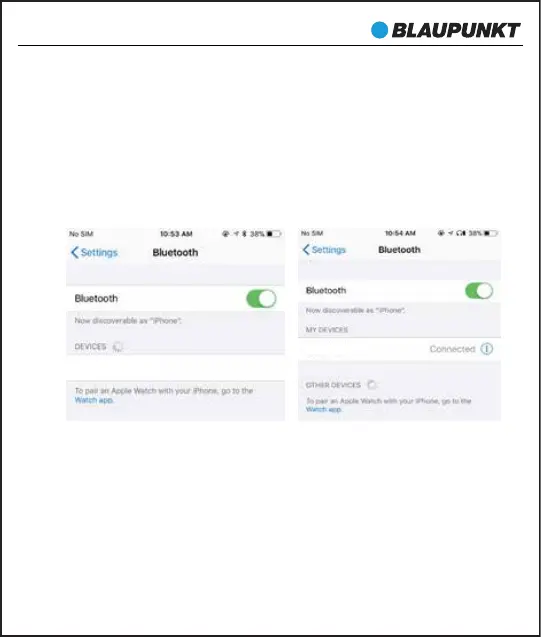
You should see BLAUPUNKT-BTW PRO (L) for left earbud or
BLAUPUNKT-BTW PRO (R) for the right earbud appear in your
contactable devices list. After successful connection, the earbuds
prompts "Phone is connected".
You need to connect one of them to use as primary. However, if you
want to use them individually, only connect the desired ear L or R,
and turn off another one.
When Left earbud is successfully paired with the phone, the phone
will Pop-up a dialog: “Earbud would like to pair with your phone”.
If you click “pair”, the secondary earbud will also be paired with the
phone. And primary-secondary switching function will be OK. If it
is not conrmed at this time, Left earbud and Right earbud cannot
switch subsequently.
BLAUPUNKT-BTW PRO (L)
BLAUPUNKT-BTW PRO (L)
BTW-Pro


 To Next Page