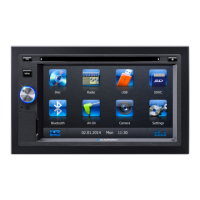
This document describes the Blaupunkt Car Multimedia Hannover 570 DAB, a car sound system designed for installation and operation in vehicles with a 12V electrical system. It features a touchscreen interface, DVD/CD player, USB and microSDHC card readers, Bluetooth connectivity, DAB radio, and navigation capabilities (on models equipped with navigation data).
Function Description:
The Hannover 570 DAB serves as a comprehensive car multimedia system, providing various entertainment and navigation options. Users can access different audio/video sources, manage phone calls via Bluetooth, and utilize a built-in navigation system. The device is operated primarily through its touchscreen, with additional control via a rotary/pushbutton and a remote control.
Important Technical Specifications:
- Power Supply: 12V vehicle system voltage.
- Installation: Designed for installation in a DIN slot.
- Media Playback: Supports Audio-DVDs/CDs (CDDA), DVD-/CD-R/RW with audio or MP3 files, and MP3/WMA files from USB data carriers and microSDHC cards. It can also display movies and images from these sources on the integrated display or an external monitor.
- Audio File Formats: MP3 (.mp3) and WMA (.wma) files without Digital Rights Management (DRM), created with Windows Media® Player version 8 or later.
- MP3 ID3 Tags: Version 1 and 2.
- Bitrates: MP3 (32 to 320 kbps), WMA (32 to 192 kbps).
- Maximum Files/Folders: Up to 10,000 entries for USB media and microSDHC cards.
- DVD/CD Formats: DVD-/CD-R/RW, Ø: 12 cm.
- DVD/CD Data Formats: ISO 9669 Level 1 and 2, Joliet.
- CD Burn Speed: Max. 16x (recommended).
- USB File System: Mass Storage Device (FAT/FAT16/FAT32).
- microSDHC File System: FAT/FAT16/FAT32.
- Bluetooth: Supports A2DP and AVRCP profiles for audio streaming and hands-free telephony.
- DAB Radio: Receives DAB stations.
- Navigation: Uses microSD cards for map data (on navigation-equipped models). Includes GPS antenna and TMC tuner (for Europe navigation models).
- Display: Touchscreen user interface with adjustable brightness and blackout function.
- Audio Output: Features fader/balance control and a 10-band equalizer.
- Inputs/Outputs: AV-IN socket (front and rear), USB socket (front), microSDHC card slot (front), video input (rear for optional camera).
- Safety: Class 1 laser product. Movie and image playback on the integrated monitor is restricted to when the vehicle is stationary and the handbrake is applied (requires "BRAKE" cable connection).
Usage Features:
General Operation:
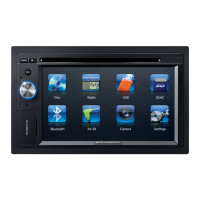
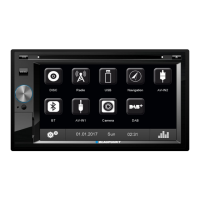
The device is switched on/off by a short/long press of the rotary/pushbutton. Volume is adjusted by rotating the knob. A short press mutes the audio. The main menu, accessed via the MENU button or the HOME button on the remote, allows selection of various sources like Radio, Disc, USB, Navigation, AV-IN, BT (Bluetooth), DAB, and Camera. The touchscreen interface is intuitive, allowing direct selection of functions and menu items.
Radio Mode:
Users can start radio mode, select memory banks (FM1, FM2, FM3, AM1, AM2), and tune into stations manually or automatically. Direct frequency input is also possible. The "Travelstore" function automatically searches for and stores the 6 strongest stations in the current memory bank. The "Scan" function briefly plays all receivable stations. RDS (Radio Data System) functions, including REG (Regional Programmes) and AF (Alternative Frequencies), can be activated/deactivated. Seek tuning sensitivity (LO/DX) can be adjusted to find strong or weak signals. PTY (Programme Type) allows searching for specific program types. Traffic announcements can be prioritized.
The device supports playback of audio and video files from DVDs, CDs, USB data carriers, and microSDHC cards.
- DVD/CD Playback: Insert a DVD/CD with the printed side up. The disc is automatically drawn in, and playback starts. Eject discs using the EJECT button.
- USB/microSDHC Playback: Connect a USB data carrier or insert a microSDHC card. The device automatically switches to the respective mode and starts playback. Files and folders can be browsed, and titles can be selected directly.
- Audio Playback: Features repeat functions (current track, current folder, all tracks) and random play (MIX). An equalizer is available for sound adjustments.
- Video Playback: Movies can be played with options for chapter selection, fast searching, and image adjustments. Subtitles and playback language can be selected if available on the DVD.
- Image Playback: Images can be viewed with browsing and zoom functions.
Bluetooth Mode:
The device supports Bluetooth connectivity for mobile phones and media players.
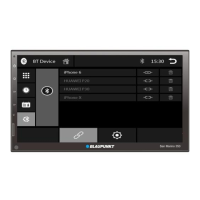
- Pairing: Devices can be paired by activating Bluetooth on both the device and the car sound system, entering a pairing code, and searching for new devices. The car sound system appears as "BP 570".
- Telephone Mode: Allows hands-free calling, answering/rejecting calls, and accessing phonebook/call lists.
- Audio Playback: Streams audio from paired Bluetooth devices.
- Settings: Bluetooth settings include auto-connect, auto-answer, microphone selection, pairing code management, and phonebook synchronization.
DAB Mode:
Allows reception of DAB stations. Users can select DAB bands (DAB1, DAB2, DAB3), manually or automatically tune stations, and store them. Search modes and additional options are available.
External Audio/Video Sources:
- AV-IN: Connect external audio/video sources via the AV-IN socket.
- Video Input: A rear video input is available for connecting an optional camera, allowing its image to be displayed.
Sound Settings:
- Volume Distribution (Fader/Balance): Adjusts the volume balance between front/rear and left/right speakers.
- Equalizer: A 10-band equalizer allows fine-tuning of sound frequencies. Preset equalizers are available, and users can customize their own settings. Loudness function can be activated for bass enhancement at low volumes.
Basic Settings:
General settings include radio region, FM HICUT (for poor reception), blackout (display turns off after inactivity), dimmer mode (display brightness), OFF-timer (for battery protection), beep sound, TFT calibration, SWC (steering wheel control configuration), software version display, and load factory settings. Video settings include password protection and rating level for parental control. Sound settings include subwoofer on/off, subwoofer filter, and dynamic sound. Time settings allow date, 12/24-hour clock mode, time adjustment, and auto clock via RDS. Language settings include OSD (On-Screen Display) language, DVD audio/subtitle language, and DVD menu language. Bluetooth and Volume settings are also accessible here.
Maintenance Features:
Cleaning:
The device should be cleaned with a dry or slightly moistened cloth. Solvents, cleaning agents, abrasives, and cockpit sprays should be avoided as they can damage the surface.
Disposal:
The device, remote control, and used batteries should not be disposed of with household waste. Instead, they should be returned to available recycling and collection systems.
Safety Notes:
- Road Safety: Operate the device only when it is safe to do so. Drivers should not use applications that distract from traffic (e.g., watching videos, entering destinations). Always prioritize traffic regulations over navigation recommendations.
- Volume: Listen at a moderate volume to protect hearing and hear warning signals. Do not increase volume during mute phases.
- General Safety: Do not modify or open the device, as it contains a Class 1 laser that can cause eye injury.
- Installation: Installation should only be performed by individuals experienced in car sound systems and familiar with vehicle electrical systems. Refer to the connection diagram at the end of the manual.
- DVD/CD Handling: Do not use non-circular or 8 cm diameter DVDs/CDs to prevent damage to the drive. Ensure automatic disc loading/ejection is not hindered.
- Transport Screws: Remove transport securing screws from the top of the device before operation.
This comprehensive car multimedia system offers a wide range of features for entertainment, communication, and navigation, designed with user convenience and safety in mind.

 Need help?
 General


 To Next Page