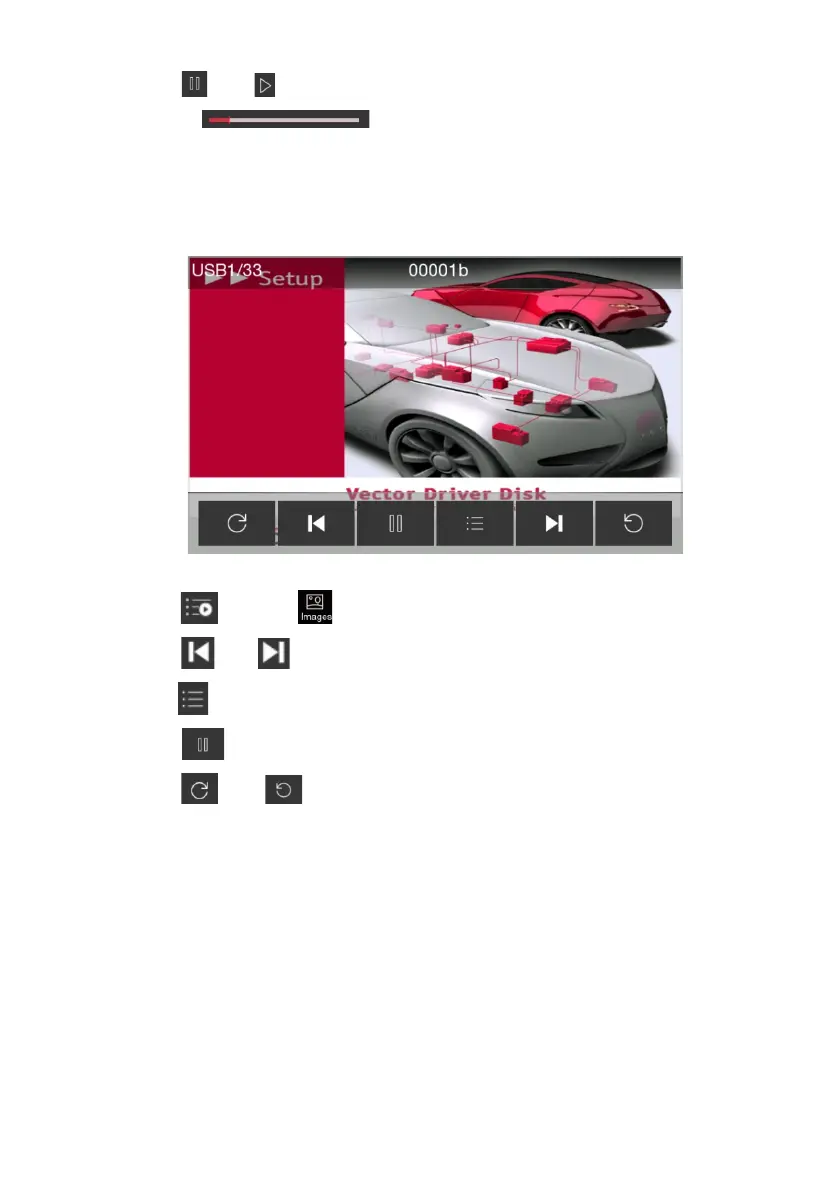
9
3. Touch
【 】
or
【 】
to pause current playing track or replay the paused track.
4. Drag the
【 】
for fixed-point playback
5. Touch the screen to enter full screen mode. If current state is full screen mode, touch the
screen again to exit full screen mode.
View Picture
1. Touch
【 】
, select
【 】
to show the picture list then select the picture to play.
2. Touch
【 】
or
【 】
to play previous or next picture.
3. Touch
【 】
to return to the list;
4. Touch
【 】
to play or pause playing pictures.
5. Touch
【 】
or
【 】
to rotate current playing picture.
6. Touch the screen to enter full screen mode. If current state is full screen mode, touch the
screen again to exit full screen mode.



 To Next Page