22
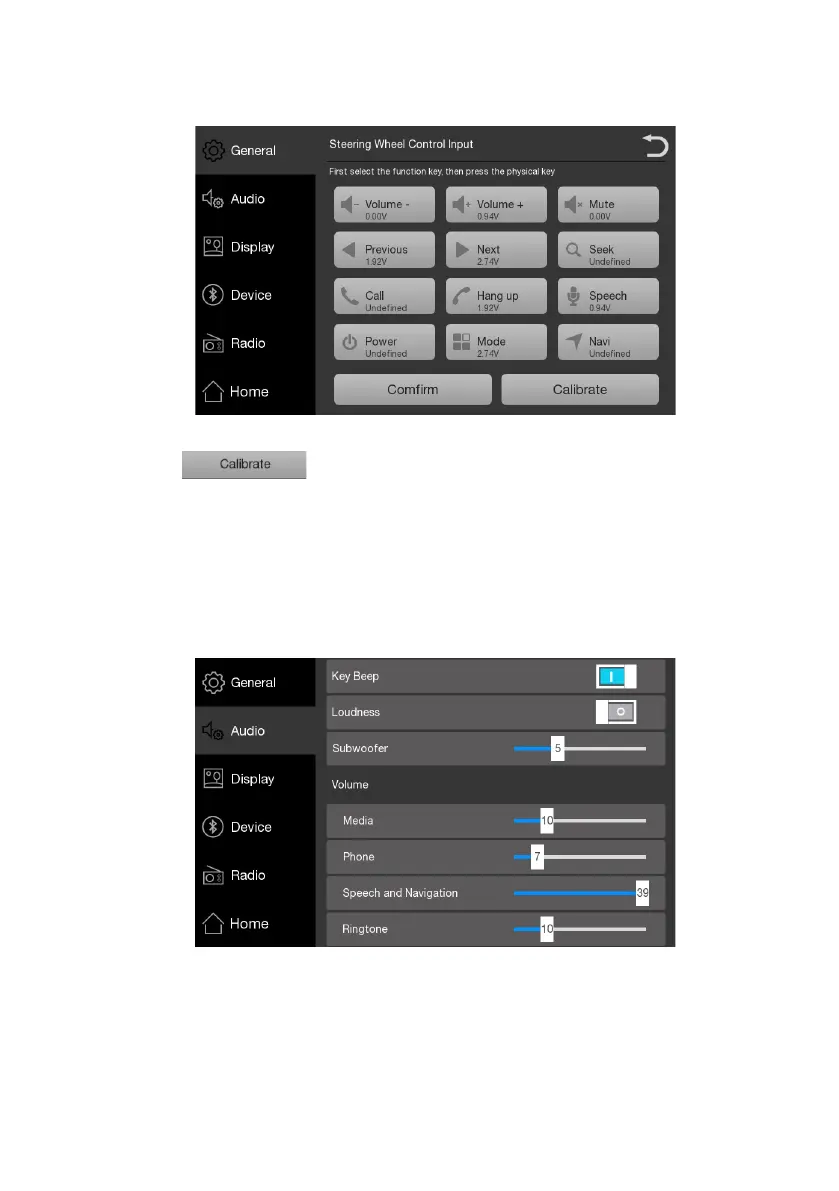
Steering Wheel Control
After the
【 】
is touched, select the keys you wanted to set. Pressing one
steering wheel key when the screen pop a window with “Press the physical key on the steering
wheel”, the key will keep the function of the item after touching
【
confirm
】
with the item
displaying
【
Activated
】
(repeat all wanted items before confirm). One key has just a function
after setting for once. Touch
【
Calibrate
】
to recalibrate the key.
Audio Settings
1.Open/Close beep, one touch one beep;
2.Open/Close loudness effect;
3.Regulate subwoofer effect;
4.Adjust the volume for each audio source;











 To Next Page