
 Need help?
Do you have a question about the Blendtec CHEF and is the answer not in the manual?
Certifications by ETL, CSA, and NSF for safety and health compliance.
Precautions to avoid injury and damage by keeping hands away from moving parts.
Warnings regarding the power cord, including damage, extension cords, and unplugging.
Instructions against self-repair of the power unit to avoid voiding the warranty.
Cautions include turning off when not in use, avoiding hot base, and accessible receptacle.
Requirements for separate circuits, breakers, and fuses for electrical safety.
Do not operate a damaged unit; contact service agent for examination and repair.
Do not operate the motor in water or other liquids; avoid precipitation.
Avoid putting metal, rocks, or hard materials in the jar due to injury/damage risk.
Using unauthorized attachments voids warranty and can cause hazards.
Ensure the blender lid is securely placed before starting operation.
Warning that blender blades are sharp and require careful handling.
Do not clean the unit using a water jet.
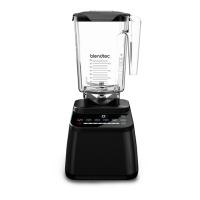
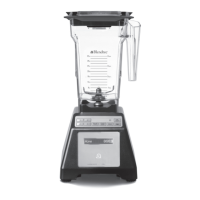
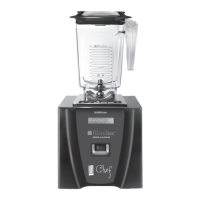
Description of the blender motor components including housing, touch pad, and LCD.
Details the blender jar assembly, including the jar, blade, and lid.
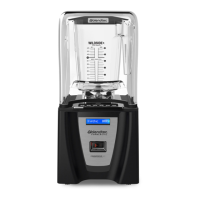
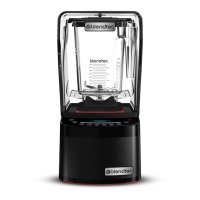
Explains the function of the optional sound enclosure for noise reduction.
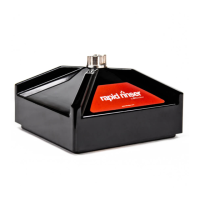
Describes the motor base stand for portable operation.
Information regarding the power specifications for Blendtec Blenders.
Step-by-step instructions for unpacking the blender and its components.
Instructions to record serial number and date of purchase for service.
Steps for installing the blender on a countertop, including placement and power connection.
Guidelines for preparing in-counter installation, including site selection and dimensions.
Steps for physically installing the blender into a countertop cutout.
General overview of the blender's operation and controls.
Instructions for operating the blender using manual speed controls and pulse function.
How to record, store, and replay custom blend cycles using memory buttons.
Solutions for common error messages and operational issues like motor not starting.
Tips to achieve desired blended texture, addressing cavitation and blend time.
Daily cleaning procedure for the blender jar using soap and water.
Procedure for sanitizing the blender jar using bleach and water.
Daily cleaning steps for the blender motor housing and gasket.
Weekly cleaning procedure for the blender drive socket.
General cleaning cautions, including avoiding abrasives, water jets, and submerging.
Details the warranty periods for the motor, jar, blades, sound enclosure, and drive socket.
Steps to follow for service and repair, both under and out of warranty.
Procedure for obtaining service when the unit is covered by warranty.
Procedure for obtaining service when the unit is no longer covered by warranty.
Front view diagram identifying key parts of the blender motor and jar.
Top view diagram illustrating the motor components like drive socket and touchpad.
Dimensions and views of the Chef Blender when installed on a counter.
Dimensions and views of the Chef Blender when installed in-counter.
Template showing the required dimensions for cutting a countertop hole for installation.







 To Next Page
 General