Page 13
SkyBox™ 5 User Manual Rev. C © 2016 Blizzard Lighting, LLC
Control Panel Menu Structure
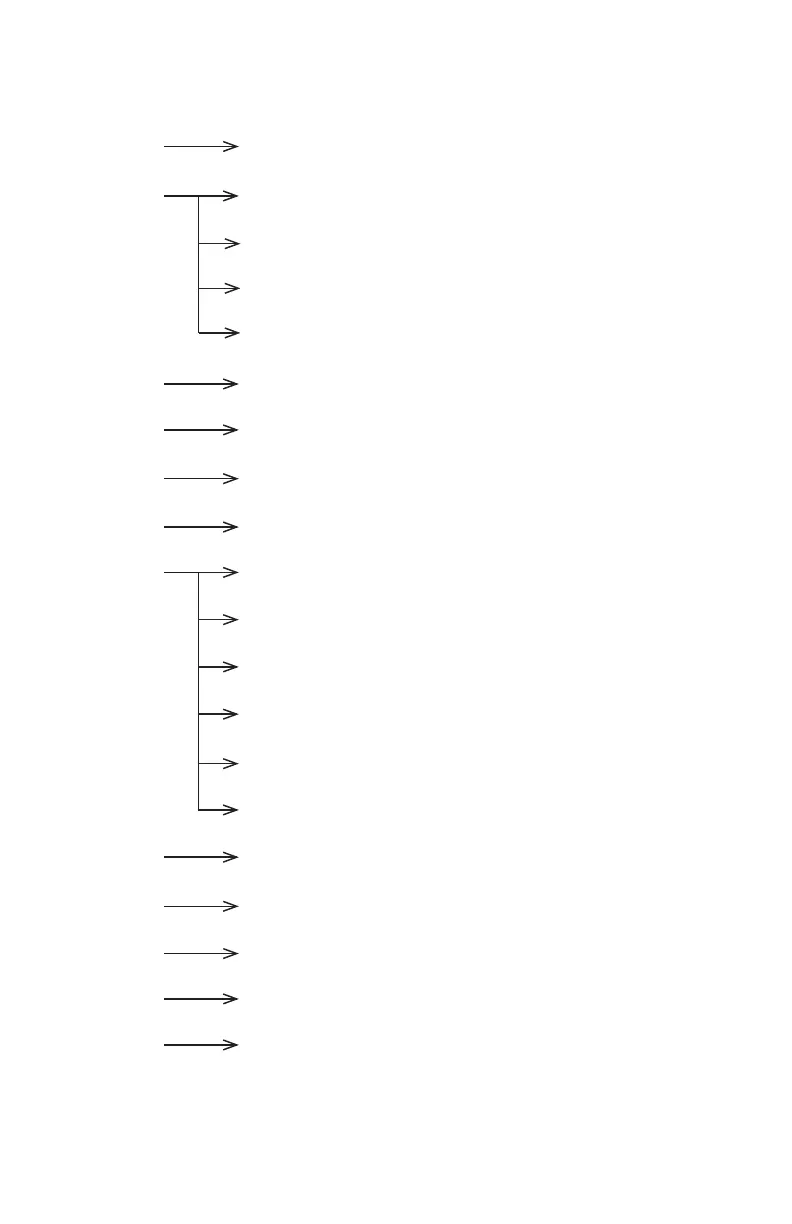
Addr 001 - 512 To choose the DMX address
CHnd 10CH 10 channel DMX mode
7CH 7 channel DMX mode
6CH 6 channel DMX mode
5CH 5 channel DMX mode
AUTO 00 - 31 Static Colors (0-30) & Auto Mode (31)
SPEED 00 - 15 Built-in Program Speed (fast <--> slow)
FADE 00 - 15 Fade Speed (fast <--> slow)
STROBE 00 - 15 Strobe speed (slow <--> fast)
MANUAL <ENTER> Manual Color Intensity Levels
RED Red dimmer (0% <--> 100%)
GREEN Green dimmer (0% <--> 100%)
BLUE Blue dimmer (0% <--> 100%)
AMBER Amber dimmer (0% <--> 100%)
WHITE White dimmer (0% <--> 100%)
SOUND <ENTER> Sound active mode
DIMMER 0 - 4 Dimming mode (0-4)
RF-ID 1 - 7 Selects wireless channel group (1-7)
IR MODE <ENTER> Set to use IR remote control (sold separately)
OUT MOD <ENTER> Power output mode: H=100%, M=75%, S=50%


 To Next Page