Mouse
Mouse
Classic microphones, made without compromise
P.O. Box 910
Agoura Hills, CA 91376-0910
Phone 818.986.2583
Fax 818.784.7564
www.bluemic.com
Warranty
This Microphone or related part is warranted under the conditions
outlined below to its original, registered owner, provided the purchase
was made from an authorized Baltic Latvian Universal Electronics
(BLUE) dealer. This Microphone or related part is guaranteed to
remain free from operating defects for one year from the date of
purchase. In the event that service is required, all necessary parts
and labor will be furnished free of charge during this period except
for tubes, which are guaranteed for 90 days against defects. This
warranty is void if the serial number has been altered, removed or
defaced. The warranty is void if the equipment is altered, misused,
mishandled, maladjusted, or is serviced by any parties not autho-
rized by Baltic Latvian Universal Electronics (BLUE). The warranty
does not include transportation costs incurred because of the need
for service unless arranged for in advance. Baltic Latvian Universal
Electronics (BLUE) reserves the right to make changes in design
and improve upon its products without obligation to install these
improvements in any of its products previously manufactured. This
warranty is in lieu of any or all expressed or implied.

 Need help?
 General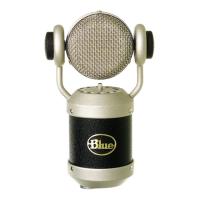

 To Next Page