
 To Next Page
P
Peggy ThomasJul 26, 2025
What to do if the Blue Microphone Icicle has low input volume?
- DDanielle WarrenJul 26, 2025
If you're experiencing low input volume with your Blue Microphone Icicle, ensure that your computer’s input volume is maximized.

What to do if the Blue Microphone Icicle has low input volume?
If you're experiencing low input volume with your Blue Microphone Icicle, ensure that your computer’s input volume is maximized.
Why is my Blue Microphone Icicle USB connection not working?
If you are experiencing USB connection issues with your Blue Microphone Icicle, verify that the Icicle’s USB cable is plugged directly into a native port on your computer, and not through a hub or keyboard.
How to adjust the gain control on a Blue Microphone Icicle?
To adjust the gain control on your Blue Microphone Icicle, check the Icicle’s gain control knob and turn it clockwise to increase the gain.
What to do if Blue Microphone Icicle is still not working after basic checks?
If your Blue Microphone Icicle is still not working after performing basic checks, restart your computer, then unplug and replug the Icicle’s USB cable.
What to do if Blue Microphone Icicle is not selected as audio device?
If the Blue Microphone Icicle is not selected as the audio device, double check to ensure that the Icicle is the selected audio device in your sound preferences window, as well as in the recording software you are using.
Specifies the audio frequency range the device supports from 20Hz to 20kHz.
Details the maximum input level and the analog gain control range from 0dB to +40dB.
Indicates the digital audio sampling rate is 44.1 kHz for 16-bit audio.
States the equivalent noise level of the device is -113dB.
Provides 48V phantom power for condenser microphones.
Details the one-year warranty against defects and terms for service claims.
Step-by-step instructions for setting up the Icicle on macOS using System Preferences.
Step-by-step instructions for setting up the Icicle on Windows using Sound and Audio Devices.
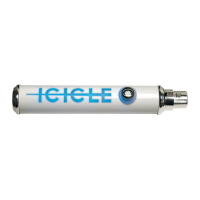
Instructions for connecting the microphone, Icicle, and USB cable to the computer.
Connect microphone via XLR, then Icicle via USB to computer. Select Icicle as audio input.
Store the Icicle in a cool, dry place away from dust and moisture when not in use.
Check if Icicle is on and selected as the audio device in system preferences.
Ensure computer input volume is maximized and adjust Icicle's gain knob.
Verify USB connection to a native port and consider restarting the computer.
Contact Blue via phone or email for further assistance with Icicle issues.
 General
| Connection | USB |
|---|---|
| Bit Depth | 16-bit |
| Frequency Response | 20Hz - 20kHz |
| Compatibility | Mac |
| Controls | Gain |
| Connector Type | USB |
| Sample Rate | 44.1 kHz |
| Phantom Power | No |