Need help?
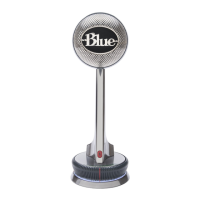
Do you have a question about the Blue Nessie and is the answer not in the manual?
Connect Nessie via USB to your PC or Mac. The base light indicates readiness.
Choose between Voice, Music, or Raw modes for different sonic characteristics and processing.
Connect via USB, select Nessie in Sound settings (Recording/Playback) for input/output.
Connect via USB, select Nessie in System Preferences Sound settings for input and output.
 General
| Transducer Type | Condenser |
|---|---|
| Polar Pattern | Cardioid |
| Frequency Response | 20Hz - 20kHz |
| Sample Rate | 48 kHz |
| Output | USB |
| Compatibility | Windows, macOS |
| LED Indicator | Yes |
| Power Requirement | USB powered |
| Headphone Output | 3.5mm |

 To Next Page