Need help?
Do you have a question about the Blue Snowball and is the answer not in the manual?
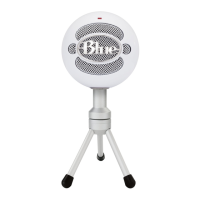
Introduction to the Blue Snowball USB condenser microphone and its unique features.
Description of the USB output port and three-position switch on the microphone's rear.
Overview of recommended use cases and environments for the Snowball microphone.
Analysis of the microphone's frequency response and polar patterns for different settings.
Explanation of the two separate capsules and their directional pickup patterns.
Guidance on mounting the Snowball on tripods and proper positioning for optimal sound.
Details on USB compatibility, system requirements for Mac and Windows.
Step-by-step instructions for setting up the Snowball on Macintosh and Windows systems.
Tips for getting the best audio quality and performance from the Snowball.
Specific guidance for miking vocals, guitars, strings, drums, and woodwinds.
Exploring other applications like dictation, podcasting, and internet telephony.
 General
| Transducer Type | Condenser |
|---|---|
| Polar Patterns | Cardioid, Omnidirectional |
| Frequency Response | 40Hz - 18kHz |
| Sample Rate | 44.1kHz |
| Bit Depth | 16-bit |
| Connection Type | USB |
| Cable Length | 6 ft (1.83 m) |

 To Next Page