Need help?
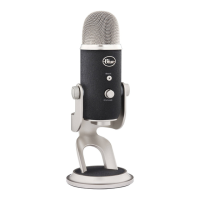
Do you have a question about the Blue YETI PRO and is the answer not in the manual?
Details how to control the microphone's sensitivity and adjust input levels for recording.
Guide for installing drivers and initial setup for the Yeti Pro on Windows 7 and Vista.
Instructions for installing drivers and initial setup for the Yeti Pro on Windows XP.
Guide for connecting and configuring the Yeti Pro on Mac OSX (10.6.4 or higher).
How to connect via XLR and control gain using preamplifiers for analog recording.
 General
| Transducer Type | Condenser |
|---|---|
| Frequency Response | 20 Hz - 20 kHz |
| Sample Rate | 192kHz |
| Bit Rate | 24-bit |
| Connectivity | USB, XLR |
| Headphone Output | Yes |
| Headphone Impedance | 16 ohms |
| Headphone Power Output | 130mW |
| Dimensions | 4.72 x 4.92 x 11.61 inches |
| Polar Patterns | Cardioid, Bidirectional, Omnidirectional, Stereo |
| Max SPL | 120dB |
| Weight | 1.2 lbs |
| THD | 0.009% (1kHz) |
| Type | Professional USB & XLR Microphone |

 To Next Page