How to use the Icicle
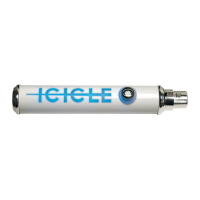
Using the Icicle is a snap. Just connect your favorite microphone (naturally, we hope it’s
a Blue one!) to the Icicle via an XLR cable. To avoid potential damage to your Icicle’s XLR
connector, we don’t recommend connecting the mic directly to the Icicle (damage incurred
this way is not covered under warranty!). Next, connect the Icicle to your computer’s USB
port using the included cable.
Please note: Attach the USB cable only to a port directly on your computer; USB ports on
keyboards, hubs, and most monitors will not supply the Icicle with enough operating power.
Select the Icicle as the audio input device on your Mac or PC (for assistance, refer to
the QuickStart Guide at the beginning of the manual). Now that you’re set up with your
computer, simply open your favorite recording software and rotate the gain control knob
on the Icicle to the desired level. Happy recording!
Unlike traditional frozen water, this is one Icicle that you don’t want to store in the freezer!
Keep the Icicle in a cool dry place, away from dust and moisture. Disconnect when not in use.
7
6
How to Use the Icicle Troubleshooting
Troubleshooting Tips
If you’re experiencing problems with your Icicle, try these suggested tips:
1. Is the Icicle on? When powered, the Icicle lettering will light up with a pleasant blue glow.
2. Double check to ensure that the Icicle is the selected audio device in your sound
preferences window (see examples in the QuickStart guide on pages 3–4), as well as in
the recording software you are using (consult your software’s User Guide for more details)
3. Make sure your computer’s input volume is maximized
4. Check the Icicle’s gain control knob — turn knob clockwise to increase the gain
5. Verify that the Icicle’s USB cable is plugged into a native port directly on the computer
— not through a hub or a keyboard
6. If the above steps still do not provide the desired results, hit the restart button on your
computer, then unplug/replug the Icicle’s USB cable
7. You can also call us directly at Blue with your Icicle questions at (818)879-5200 between
the hours of 9:00 AM and 4:00 PM, Pacic Time, or via email at: support@bluemic.com


 To Next Page