EasyManua.ls Logo

Blueair 201DPF - User Manual

Blueair 201DPF
9 pages
Print Icon
To Next Page IconTo Next Page
Loading...
Blueair Classic
User Manual - 200 series
Question and Answer IconNeed help?

Do you have a question about the Blueair 201DPF and is the answer not in the manual?

Summary

General Product Information

Blueair 200 Series Models

Details on Wi-Fi enabled air purifiers, models 280i and 205, and their sensor capabilities.

Unit Overview and Controls

Diagram identifying key components and touch button controls for the air purifier.

Adjusting Fan Speed

Methods for controlling fan speed: manual via panel or remote via app.

Safety Information

General Safety Precautions

Essential warnings and cautions for safe operation, including power cable handling.

Intended Use and Supervision

Guidelines for proper appliance use, especially regarding children and user capabilities.

Regulatory Compliance

Information on FCC, IC, and RF radiation exposure compliance for the device.

Placing the Unit

Unit Placement Guidelines

Instructions on where to position the air purifier for optimal airflow and safety.

Getting Started

Connecting to Blueair Friend App

Step-by-step guide to connect the air purifier to the mobile app for remote control.

Control Panel Overview

Explanation of general control panel features and touch buttons.

Classic 280 i Control Buttons

Detailed explanation of specific touch buttons and indicators for the 280i model.

Blueair Friend App Settings

Overview of settings controllable via the Blueair Friend mobile app.

Filters

Filter Types and Functionality

Description of particle filters and Smokestop filters and the pollutants they remove.

Filter Checklist and Subscription

Information for recording filter details and details on the filter subscription program.

Care and Maintenance

Changing the Filters

Step-by-step instructions for replacing the air purifier filters.

General Cleaning Procedures

Guidelines for cleaning the exterior and interior of the unit safely.

Support and Warranty

Information on obtaining help and understanding the limited warranty terms.

Technical Specifications

Performance Metrics

Key performance data including CADR, room size, and air changes per hour.

Physical and Electrical Data

Specifications for unit size, weight, energy consumption, and sound levels.

Model-Specific Features

Comparison of speed control options and air quality sensors for 280i and 205 models.

Overview

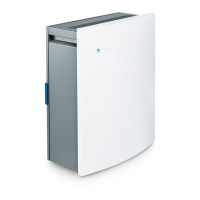
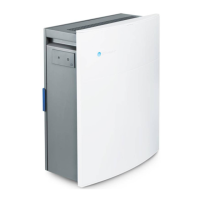
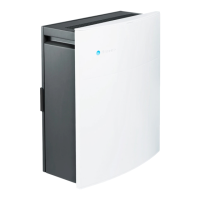
The Blueair Classic 200 series is a line of Wi-Fi enabled air purifiers designed to improve indoor air quality. These units are available in two models: the 280i and the 205. The 280i model features built-in sensors for PM2.5, VOC (Volatile Organic Compounds), temperature, and humidity, allowing for automatic regulation based on real-time air quality readings. In contrast, the 205 model does not include built-in sensors but can be automatically regulated when paired with an optional external air quality monitor, the Blueair Aware™.

Function Description:

The primary function of the Blueair Classic 200 series air purifiers is to filter airborne pollutants and provide cleaner air. They utilize HEPASilent™ filter technology, which combines electrostatic and mechanical filtration to capture a wide range of particles. The units can be controlled manually via touch buttons located under a flip-up lid on the control panel, or remotely through the Blueair Friend™ mobile app. This app allows users to adjust settings, monitor air quality (for 280i models or 205 models with an external Blueair Aware™ monitor), and manage the unit from anywhere.

Important Technical Specifications (Classic 280i/205, U.S. models, 120 VAC, 60 Hz with particle filter):

  • CADR (Clean Air Delivery Rate):
    • Smoke: 180 cfm
    • Dust: 200 cfm
    • Pollen: 200 cfm
    • Note: CADR indicates filtered air delivery and pollutant removal efficiency. Maximum possible CADR ratings are Tobacco Smoke: 450 cfm, Dust: 400 cfm, Pollen: 450 cfm.
  • Room size: 279 sq.ft. (26 m²)
  • Air Changes per Hour: 5 (calculated for 8-foot ceilings; increases for smaller rooms)
  • Airflow (Speed 1-2-3): 75-140-220 cfm
  • Size (HxWxD): 21 x 17 x 9 in. (533 x 432 x 209 mm)
  • Product weight: 24 lbs (11 kg)
  • Energy consumption (Speed 1-2-3): 20-60-80 W
  • Sound pressure levels (Speed 1-2-3): 32-44-56 dB(A)
  • Filter replacement indicator: Yes
  • Speed control options:
    • 280i: 1-2-3, non-touch, smartphone (Automode)
    • 205: 1-2-3, non-touch, smartphone
  • Air quality sensors:
    • 280i: Built-in sensors for VOC, PM2.5, temperature, and humidity
    • 205: No sensors - optional use with Blueair Aware™

Usage Features:

  • Control Panel and Touch Buttons: Located under a flip-up lid, these buttons allow for manual control of the unit. A grey circle around a button indicates it's inactive. Buttons dim after 20 seconds of inactivity and light up again with a tap.
    • Wi-Fi Button: Indicates Wi-Fi status (OFF, blinking for connection, connected).
    • Air Flow Speed Control: Adjusts fan speed (Min, Speed 1, Speed 2, Speed 3, Max). Maximum speed is recommended for fast initial cleaning or heavily polluted air, while minimum speed is for nighttime use.
    • Filter Indicator: Shows filter status (grey/blue for no replacement needed, orange for replacement needed).
    • AUTO Button (280i only): Activates automode based on built-in sensor readings.
    • VOC Indicator (280i only): Displays VOC pollution levels (blue for excellent to moderate, orange for slight to high).
    • PM2.5 Indicator (280i only): Displays PM2.5 pollution levels (blue for excellent to moderate, orange for slight to high).
  • Blueair Friend Mobile App: Provides remote control and additional settings:
    • Adjust airflow speed: Changes fan speed between 1, 2, and 3.
    • Adjust LED intensity: Changes the intensity of visible LED lamps.
    • Child lock: Regulates control via the unit's control panel.
    • Auto mode: Automatically controls fan speed based on sensor readings (built-in for 280i, external Blueair Aware™ for 205).
    • Night mode: Allows activation/deactivation of specific settings at certain times.
  • Filter Types:
    • Particle filters: Remove PM2.5, dust, pollen, pet dander, mold, and general particles.
    • Smokestop™ filters: Remove all pollutants covered by particle filters, plus dust mites, bacteria, VOCs, smoke, chemicals, and cooking odors.
  • Placement: The unit should be placed where air can circulate freely, at least 4 inches (10 cm) from other objects. Avoid placing near heat sources, wet areas, soft furnishings, or outdoors.

Maintenance Features:

  • Filter Replacement:
    1. Turn off and disconnect the unit from the power supply.
    2. Open the back door.
    3. Pull out the old filter.
    4. Vacuum inside the unit with a soft brush attachment.
    5. Insert the new Blueair filter.
    6. Close the back door, plug in the unit, and turn on.
    7. Reset the filter indicator by pressing down on the orange filter button for 5 seconds.
    • Important: Only genuine Blueair filters should be used to ensure proper function and warranty coverage.
  • Routine Cleaning:
    1. Wipe the underside of the lid after removal.
    2. Vacuum the air inlet grille from the inside using a soft brush or suitable attachment.
    3. Vacuum the small air inlets with a soft brush attachment.
    4. Wipe the exterior of the unit with a soft, clean, damp cloth.
    • Do not use gasoline, chemical solvents, or corrosive materials. Do not allow foreign objects into ventilation/exhaust openings. Do not attempt to repair electrical/mechanical functions yourself; contact Blueair support.
  • Filter Subscription Program: Available in some countries; contact a local Blueair retailer for details.

The Blueair Classic 200 series air purifiers are designed for ease of use and effective air purification, offering both manual and smart control options to adapt to various user needs and environmental conditions.

Blueair 201DPF Specifications

General IconGeneral
BrandBlueair
Model201DPF
CategoryAir Cleaner
LanguageEnglish

Related product manuals