5
EN
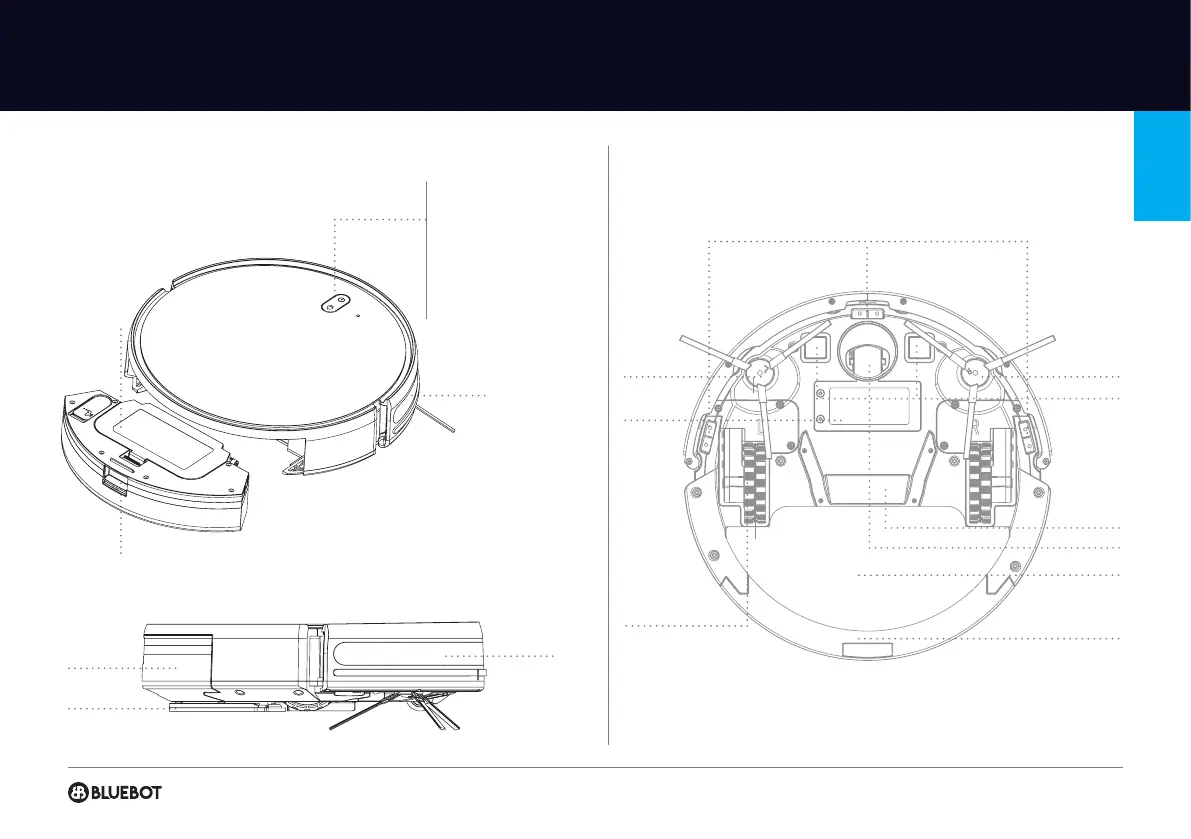
prodUcT INFormATIoN
Anti-collision sensor
Mop module
Dustbin
Infrared lens
TOP & FRONT
SIDE
BOTTOM
Anti-drop sensor
Charging contact points
Side brush Side brush
Mop module
2 in 1 Dustbin and Watertank
Driving wheel
Battery cover
Universal wheel
Suction inlet
Dustbin button
Filter cover
Cleaning on & off
• Short press to start clean/pause
• Long press for 3secs for on/off
Charging
• Short press charge/pause
Indicator light
• Blue: normal operation
• Red: abnormal condition and low battery
• Blue flashing: recharging
Reset wifi
• Long press both buttons simultaniously to start
network connection


 To Next Page