
 Need help?
Do you have a question about the BLUEBOT EZ1 and is the answer not in the manual?
Introduction to the Bluebot EZ1 and an overview of the manual's content.
General safety precautions and instructions for safe operation to prevent product damage.
Key safety warnings related to product usage, environment, and physical hazards.
Specific attention points and precautions for product usage and handling.
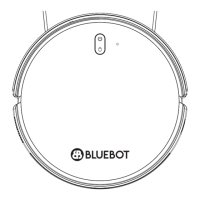
Visual identification of the robot and all included accessories and parts.
Detailed breakdown of the robot's physical structure, components, and features.
Explanation of basic robot functions, indicators, and Wi-Fi reset procedure.
Description of the remote control functions and the charging station.
Step-by-step guide for assembling the robot and setting up the charging station.
Important considerations for charging station placement and ensuring proper robot docking.
Instructions for installing the mopping module, including filling and attaching.
Safety and maintenance tips for the mopping module.
Steps to download the Bluebot app, create an account, and prepare the robot.
Detailed steps for connecting the robot to the Bluebot app via Wi-Fi.
Overview of Automatic, Spot, and Edge cleaning modes for the robot.
How to use magnetic strips to define restricted areas for the robot.
Timer, manual control, find robot, and record viewing features.
Silent mode, consumables, maintenance alerts, and information access.
Regular cleaning for side brushes and weekly cleaning for the suction port.
Procedures for cleaning the water tank and dustbin.
Cleaning and reassembly of the primary filter, sponge, and HEPA filter.
Cleaning the mopping cloth and drying the water tank.
Cleaning robot sensors, charging pins, and charging station signal area.
Table for regular cleaning and replacement frequency of robot parts.
Battery care, firmware upgrades, and system reset procedures.
Technical details of the robot, including dimensions, weight, and battery.
Technical details of the charging station, including dimensions and power ratings.
Restrictions on environment, temperature, liquids, and user supervision.
Guidelines for battery charging, third-party accessories, transport, and storage.
Solutions for issues like robot not starting, charging, or Wi-Fi connection problems.
Troubleshooting for abnormal behavior, noise, cleaning ability, and mop issues.
Details of the 2-year warranty coverage and exclusions.
Instructions for responsible disposal and recycling of the product and battery.
 General
| Battery Life | Up to 120 minutes |
|---|---|
| Battery Capacity | 2600 mAh |
| Dustbin Capacity | 600 ml |
| Suction Power | 2000 Pa |
| Navigation | Gyroscope |
| Charging Time | 4-5 hours |
| Scheduling | Yes |
| Auto Charging | Yes |
| Wet Mopping | Yes |
| Climbing Ability | 15 mm |
| Runtime | Up to 120 minutes |
| Type | Robot Vacuum |
| Connectivity | Wi-Fi |
| Virtual Wall | Yes |

 To Next Page