12
WORKING MODES
5. USAGe oF THe roboT
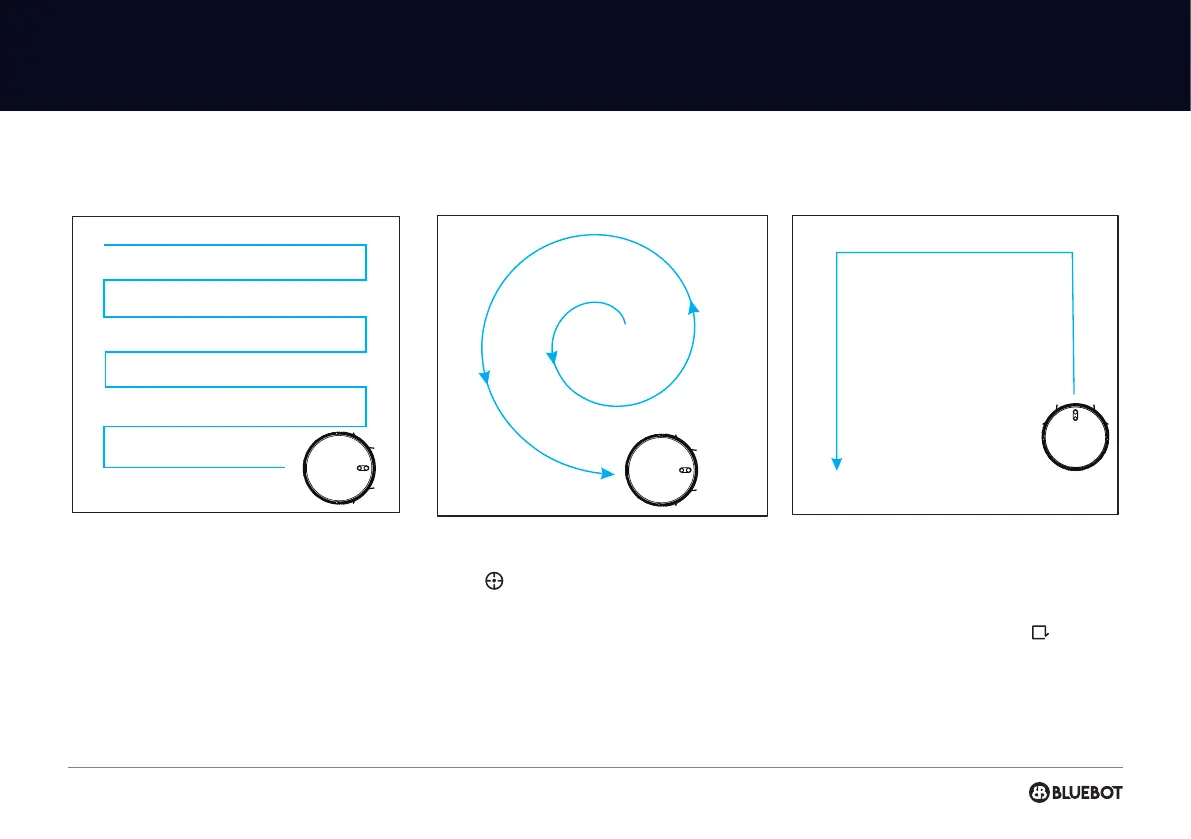
AUTOMATIC CLEANING
After automatic cleaning begins, the robot start
cleaning the whole space, and automatically
recharges after the cleaning is completed.
SPOT CLEANING
Press “ “ button on the remote control to clean
in a spiral clokwise from the inside to the outside
(maximum radius is 60 centimeters). After the spot
cleaning is completed and nally return to the
starting position the robot will nish the cleaning.
You can also use the direction buttons on the app
to control the robot to the location that needs to be
cleaned.
You can also use the Bluebot app to start the spot
cleaning after placing the robot on the right spot
manually.
EDGE CLEANING
The robot cleans the periphery on the indoor xed
places such as walls, tables corners, etc, then the
robot returns to the charging station after working
along the edges. You can also press “ “ on the
remote control or in the Bluebot app to quicly start
the edge cleaning.


 To Next Page