10
4. INSTAllATIoN blUeboT App
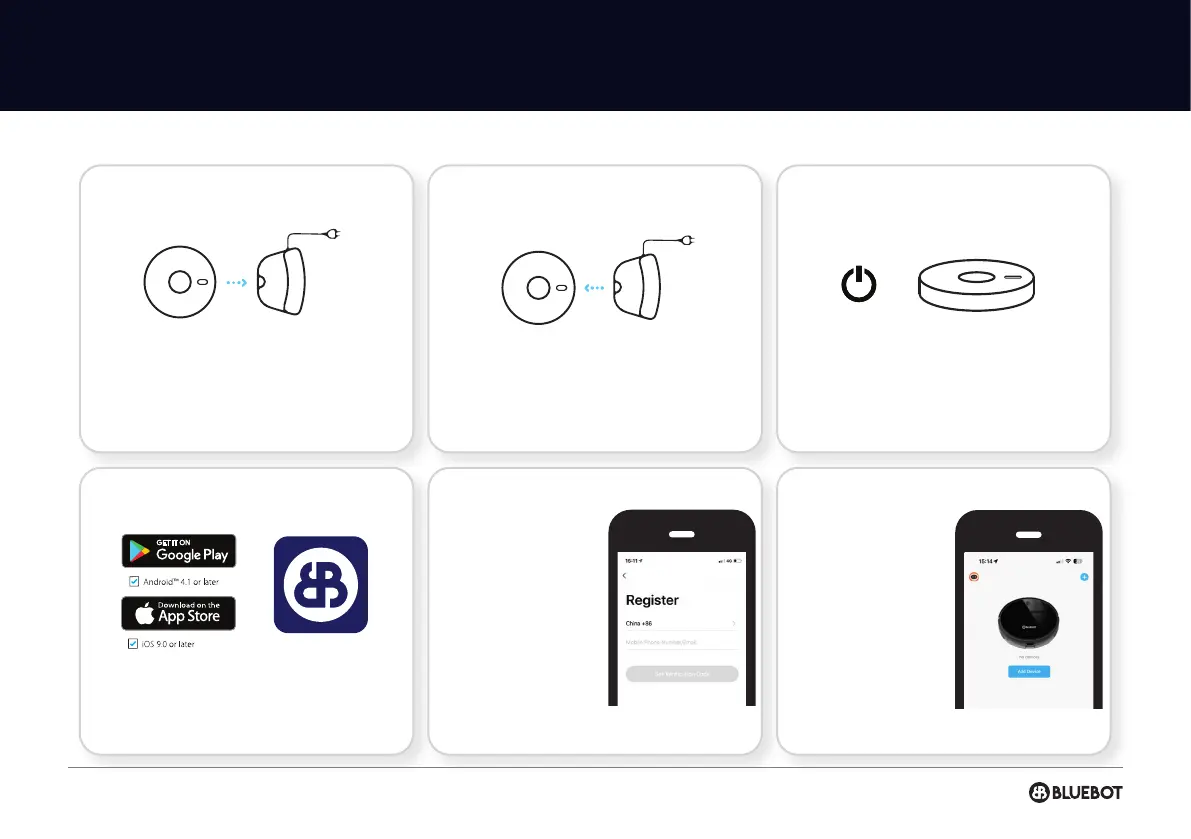
Bluebot application 1 Fully charge robot 2 Download Bluebot app 3 Steps for registration 4 Connect robot with app (steps)
Place the robot on the charging station to
charge and make sure it’s fully charged
before use.
Download the Bluebot app. The app can be
found in the Appstore and Google Play.
Register a new account
if you are not yet an
existing user.
Open the Bluebot app
and press the “+” icon to
add you device.
Remove the robot from the charging station. Make sure the robot is on, by holding in the
“On button” for a few seconds on top of the
robot. Wait until the robot has started fully.
1
4
2
5
3
6


 To Next Page