5.
Connect
filling
connector
(5)
with
a
separate
pump.
Install
a
3-way
ball
valve
below
the
solar
control
system
for
draining
(drain
valve)
and
open
ball
valve.
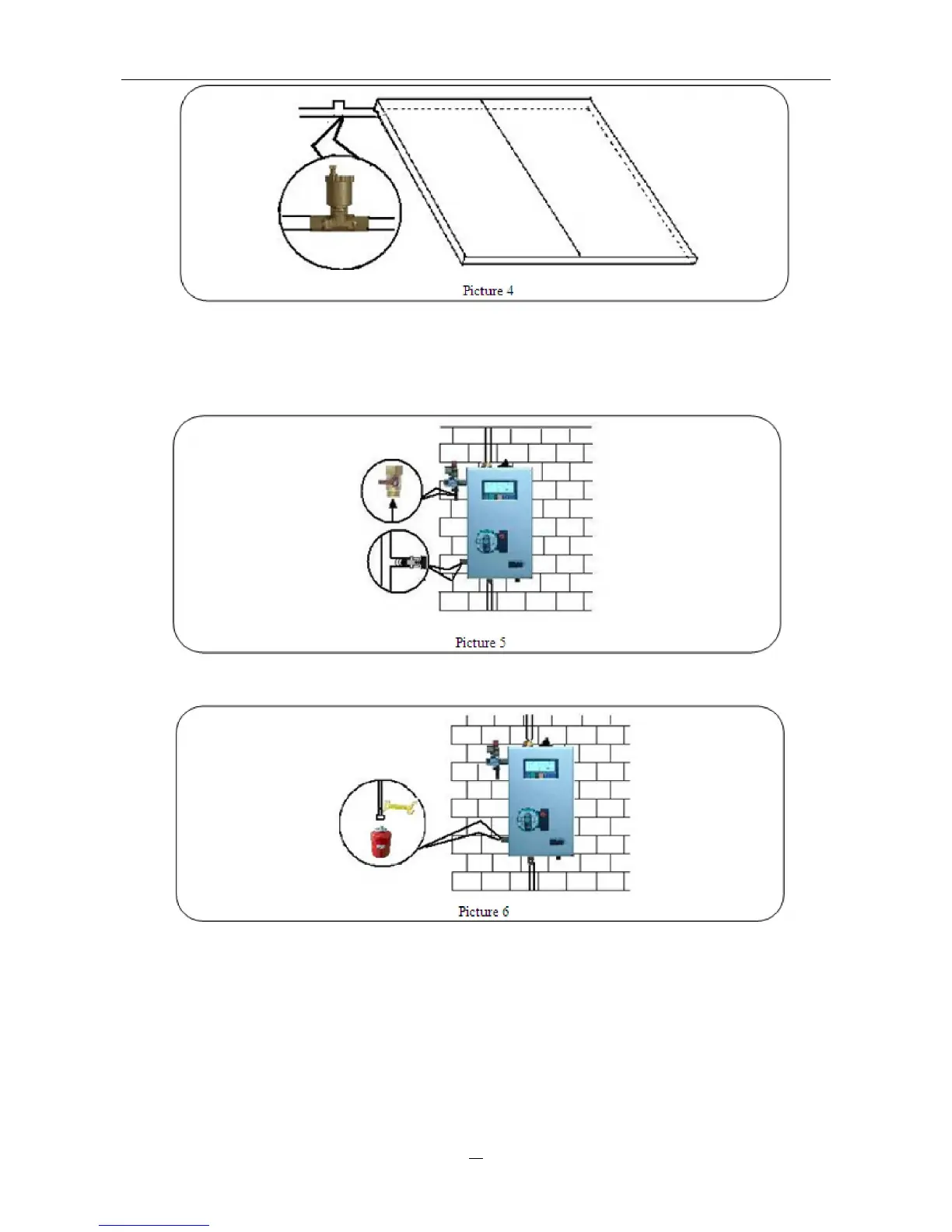
See picture
5.
Until
there
is
medium
overflowing
from
ball
valve,
please
close
the
ball
valve.
(There
is
already
a
non-return
valve
installed
inside
the
solar
control
system
between
filling
and
drain
valve.)
6.
After
above
steps,
connect
an
expansion
vessel
to
the
connector
(7).
See
picture
6.
7. Filling the system
◆ Connect a separate pump to the filling valve with pressure hose.
◆ Open the filling and drain valve, fill the system with the separate pump. Heat medium liquid
(usually use water-glycol mixture as heat medium, 50% glycol and 50% water) will be pumped
into the system until it is filled up. Close the drain valve and continue to fill the system with
medium liquid until the system pressure is not lower than 2 bar (the system pressure can be read
from the manometer).
◆ Close the filling connector and switch off the pump.


 To Next Page