EasyManua.ls Logo

blueclean sp116 - Commissioning & Initial Setup

blueclean sp116
20 pages
Print Icon
To Next Page IconTo Next Page
To Previous Page IconTo Previous Page
Loading...
Work station series for solar water heating control system
15
Commissioning

1.
Switch
on
the
power
of
solar
control
system.
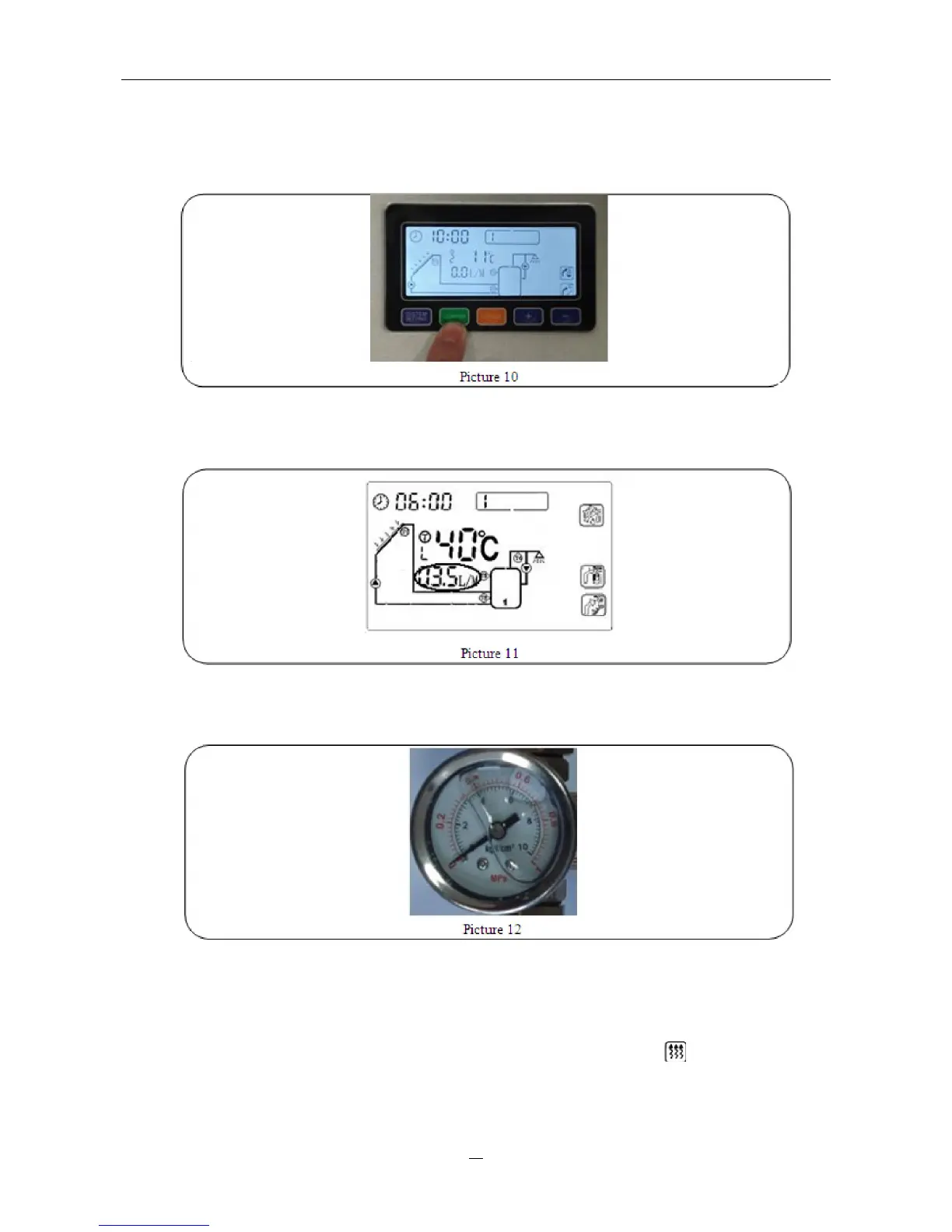
Press
“Confirm
button
2
seconds
(in
main
operating
menu)
to
activate
the
solar
collector
pump
(P1).

2.
Observe
the
flow
rate
of
solar
control
system
which
displays
on
LCD
screen.
If
the
flow
rate
is
not
regular,
it indicates
that
there
must
be
air
still
in
the
system.
Open
the
air
vent
valve
several
times
to
relief
the
air.

3. When
the
flow
rate
becomes
regular,
observe
the
system
pressure
from
manometer.
If
the
pressure
is
lower
than
2
bars,
refill
the
system
with
heat
medium
to
increase
the
pressure.

4.
Carry
out
a
pressure
test
of
all
system
joints
again
for
leaks.
The
solar
system
must
be
vented
several
times
after
some
operating
hours.
Refill
the
system
if
necessary.

5.
Remove
the
separate
pump
for
filling
after
commissioning.

6.
If
there
is
auxiliary
heating
wire
connected,
press
Confirm”
button
until
signal
displays
on
screen.
It
means
switch
on
auxiliary
heating
manually.
Then
customer
can
use
auxiliary
heating
function.