BL6-U Parallel Integrated Controller Quick Commissioning User Manual
12
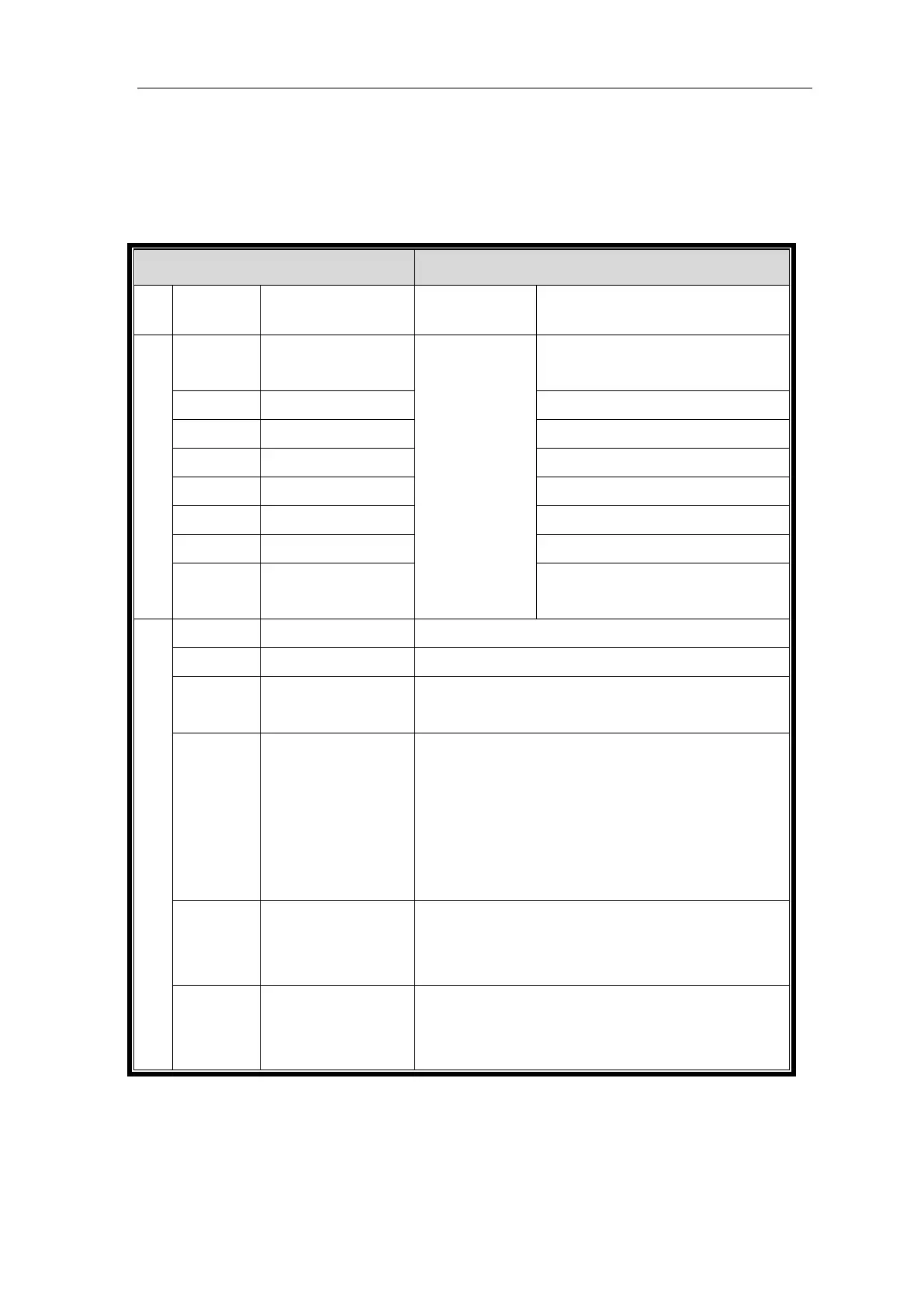
4 Parameter Need to set before Inspection Run
Note: Parameters must be saved after setting operation, otherwise the original value will be saved
after power off.
FIGURE 4.1 Parameter Need to set before Inspection Run
In blue-light
machine input,
these parameters
can generate
automatically, see
instructions below
for detail.
0: Sync machine,1: async machine. Fill in
according to actual situation.
PG card type (0: Incremental encoder, 1:
Sine/Cosine encoder)
Manual Input based on Site Condition
Motor speed at elevator rated speed (calculated)
Only for asynchronous machine; no need to set synchronous
machine. Normally set for 25%-40% of rated current.
Only for asynchronous machine; No need to set synchronous
machine. Setting according to actual situation. Calculation
method: Rated Slip = rated frequency -(rated speed * pole
pairs/60). e.g.: The motor rated slip is50-(1440*2/60)=2Hz,
when motor frequency is 50Hz, rated speed is 1440rmp, and
motor type is four-pole motor.
DirSel (direction select)
Select according to the motor installation direction in actual
situation, Select motor running direction
(0/1: Motor rotates anti- clockwise, car move down/up).
Load Compensation: 1 enable; 0 Unable. If use incremental
encoder set this to 1; If use 1387 encoder at no-weighing
mode, set this to 0.
When using Blue-Light Integrated Controller, if the traction machine is also made by Blue-Light,
you only need to input the machine model number and encoder information on the machine name
plate to finish the parameter setting of the machine.


 To Next Page