BL6-U Parallel Integrated Controller Quick Commissioning User Manual
34
Appendix IV Parameters
U0 Monitoring Parameters
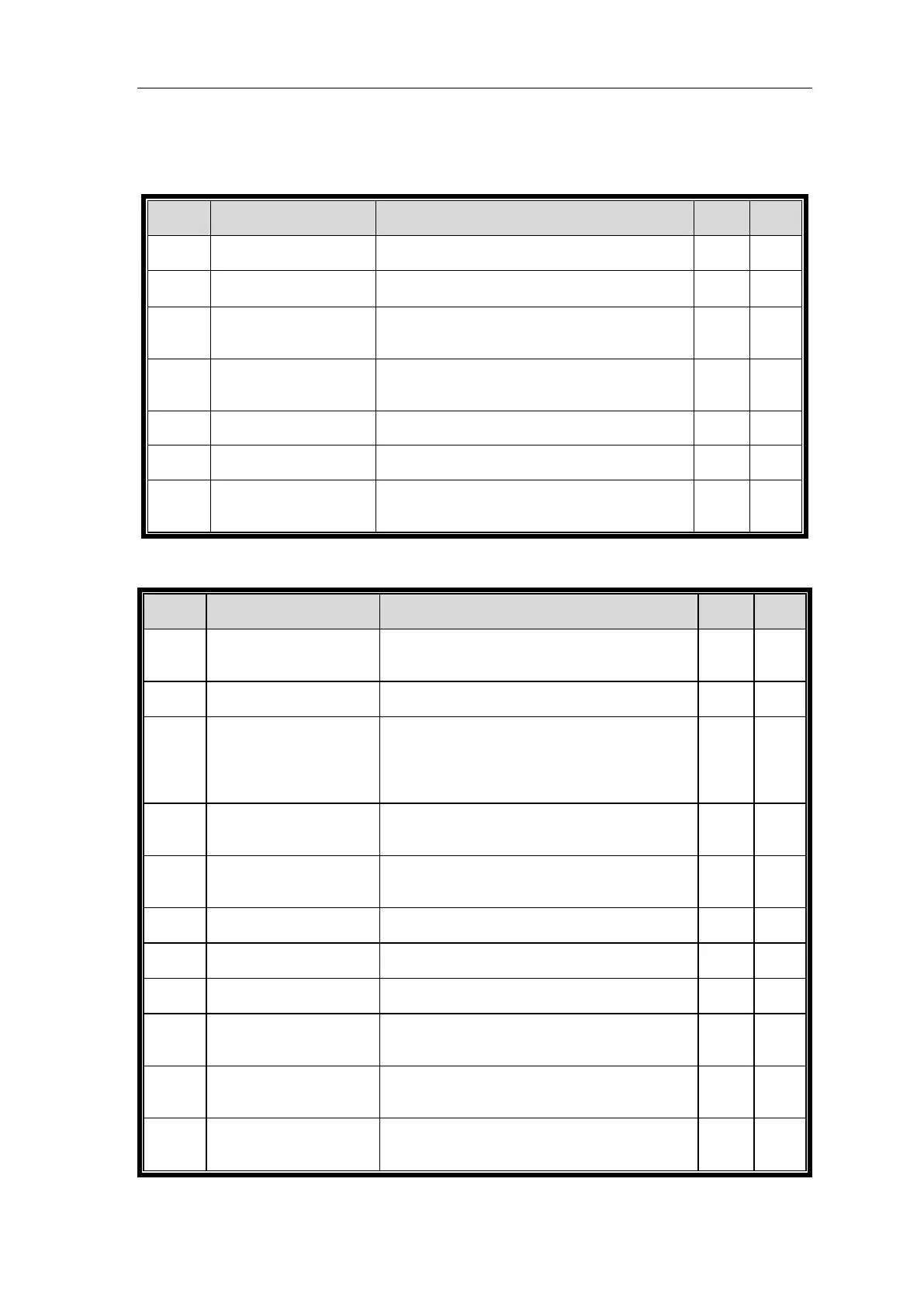
The location of bottom limit in hoistway. Data will be
recorded after finishing hoistway learning
The location of top limit in hoistway. Data will be
recorded after finishing hoistway learning。
Location of bottom terminal switch 1 in hoistway.
Data will be recorded after finishing hoistway
learning
Location of bottom terminal switch 2 in hoistway.
Data will be recorded after finishing hoistway
learning
Location of top terminal switch 1 in hoistway. Data
will be recorded after finishing hoistway learning
Location of top terminal switch 2 in hoistway. Data
will be recorded after finishing hoistway learning
The location of floor 1-64 switches in hoistway. Data
will be recorded after finishing hoistway learning
U1~U5 Monitoring Parameters
Controller input data show in decimal type. It will be
turned into binary type to show the logical status of
the input port.
Input port data show in binary type. Each data
correspond to logical status of one input port.
Each line corresponds to one input port, “On/Off”
states the current port status, the following “n” value
states the signal appraisal to input level. Value from
“10” to “0” refers to interference condition from
good (less interference) to bad (large interference)
Display the output port Y0-Y15 current status. The
valid output port has the corresponded indication.
Port without output (invalid) will be hidden.
Display car input signal status. The valid input port
has the corresponded indication. Port without input
(invalid) will be hidden.
Show the elevator accumulated running times.
Adopts 10 digital decimal figures as indication
Show the elevator accumulated running hour. Adopts
10 digital decimal figures as indication.
Signal send appraisal for Duplex and group control.
Large number means comm send more mistakes.
Signal receive appraisal for Duplex and group control.
Large number means communication receive more
mistakes.
Appraise the value of interference strength at site.
The big value refers to strong interference,”0” states
no interference and good GND condition.
The interference degree of encoder signal. When
elevator runs steady, large value states the encoder
signal weak with heavy interference.


 To Next Page