BL6-U Parallel Integrated Controller Quick Commissioning User Manual
13
Motor parameters automatically generated:
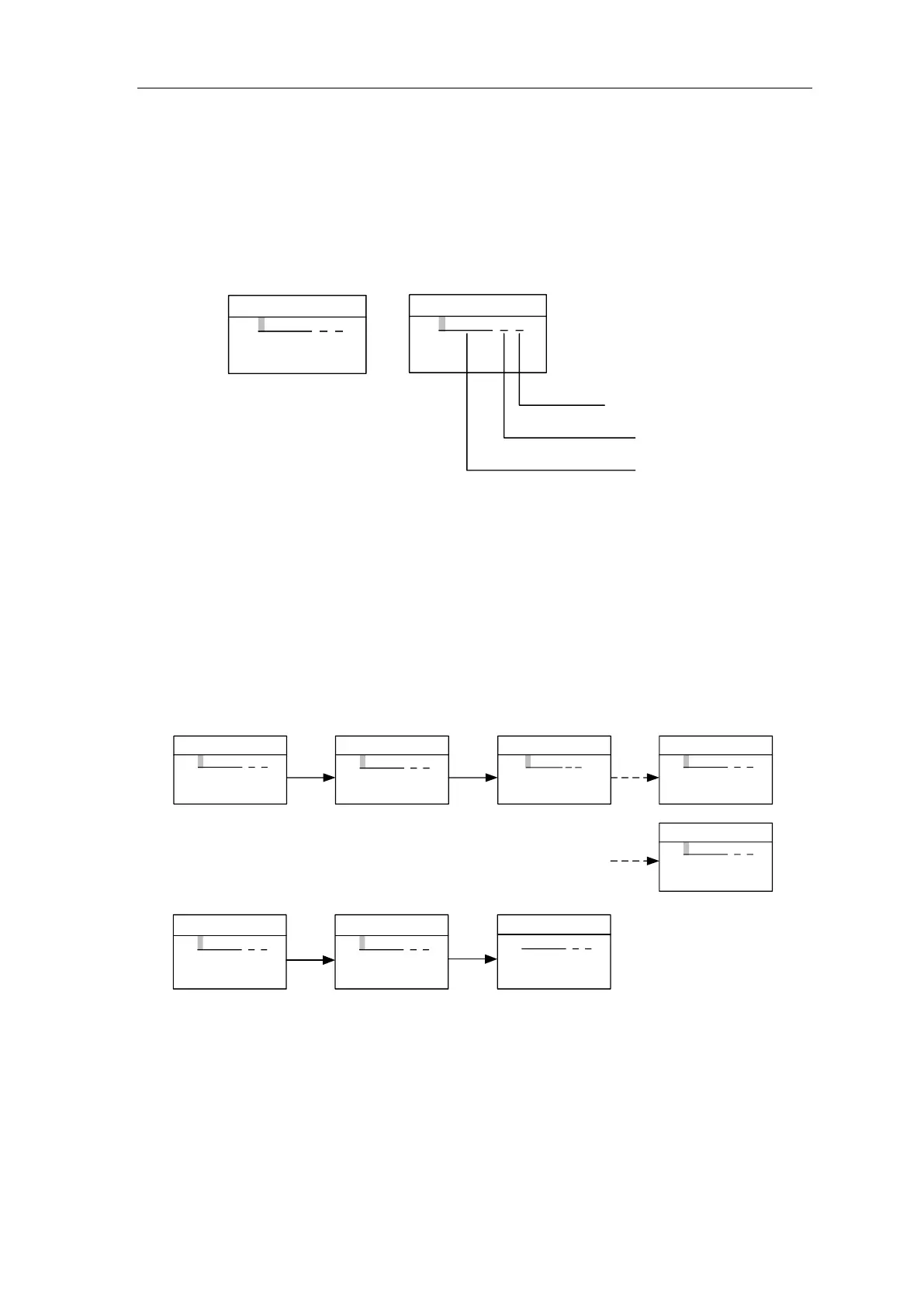
Enter the “BL Machine Input” interface as shown below from the main menu. Press [LEFT] or
[RIGHT] key to move the cursor left or right cyclically. Press [UP] or [DOWN] key to set the content of
the pointed area. The input content has three parts, separated by “.”. The first part is the model
number (separated in 4 digits), the middle part is encoder resolution information, and the last part is
the PG model.
The detail information is showing below
BL Machine Input
S1.0 D-.2.0
PG MODEL
2:2048ppr
8:8192ppr
Encoder Resolution
Machine Model
0:Incremental Encoder
1:Sine/Cosine Encoder
FIGURE 4.1 BL Machine Input Interface
Press [ENTER] button after entering complete motor and encoder information. BL series
integrated controller automatically generates motor parameters corresponding to current motor
model. Wait to exit the interface until prompting success. Then save the parameters.
If motor model entered invalid, or information entered incompletely (for example, only input
the motor model but did not enter the encoder information), interface will indicate “Invalid model”.
Please conform model and encoder information is correct before proceeding.
Try again if interface indicates fail.
BL Machine Input
-0.0 --.-.-
BL Machine Input
S1.0 D-.2.0
BL Machine Input
S1.0 D-.2.0
Waiting
BL Machine Input
S1.0 D-.2.0
Success
[ENTER]
[∧][∨]
[<][>]
BL Machine Input
S1.0 D-.2.0
Failure
FIGURE 4.2 BL Machine Input Interface
BL Machine Input
-0.0 --.-.-
BL Machine Input
S1.0 DC.2.0
Invalid model
BL Machine Input
S1.0 DC.2.0
BL Machine Input
-0.0 --.-.-
[∧][∨]
[<][>]
[ENTER]


 To Next Page