User Manual
High Current Product Range
2 Erica Way Office: +27 21 205 2000
Somerset West Business Park Technical Support: support@bluenova.co.za
Somerset West, 7130 Website: www.bluenova.co.za
2. SERIAL COMMUNICATION
BlueNova® HC batteries include serial communication functionality via CAN protocol. Connecting a BlueNova®
HC battery to a compatible inverter, charger or other third-party hardware device normally negates the necessity
of manual voltage-based installation procedures, as described in the section above.
The installation procedure for serial integration varies and is determined by the serial-compatible peripheral
hardware that is being integrated with.
3. PARALLEL CONNECTION
BlueNova batteries with 123Smart firmware version 5.4 & higher as well as BMMC firmware version 2.5 & higher
include MultiCap™ technology. Batteries with MultiCap™ can be connected in parallel to each other to increase
overall capacity, regardless of the age difference and/or rated capacity difference between any two of the
batteries in the parallel configuration ONLY IF ALL of the requirements below are met:
a. The nominal voltage of all parallel-connected batteries is the same (i.e. 52V), and
b. The installed capacity @C10 of the largest battery in the parallel configuration is no larger than 4 x the
installed capacity @C10 of the smallest battery in the same configuration, and
c. The correct firmware versions are installed on all batteries in the configuration & updated accordingly, and
d. Each battery is operating within its warranty period.
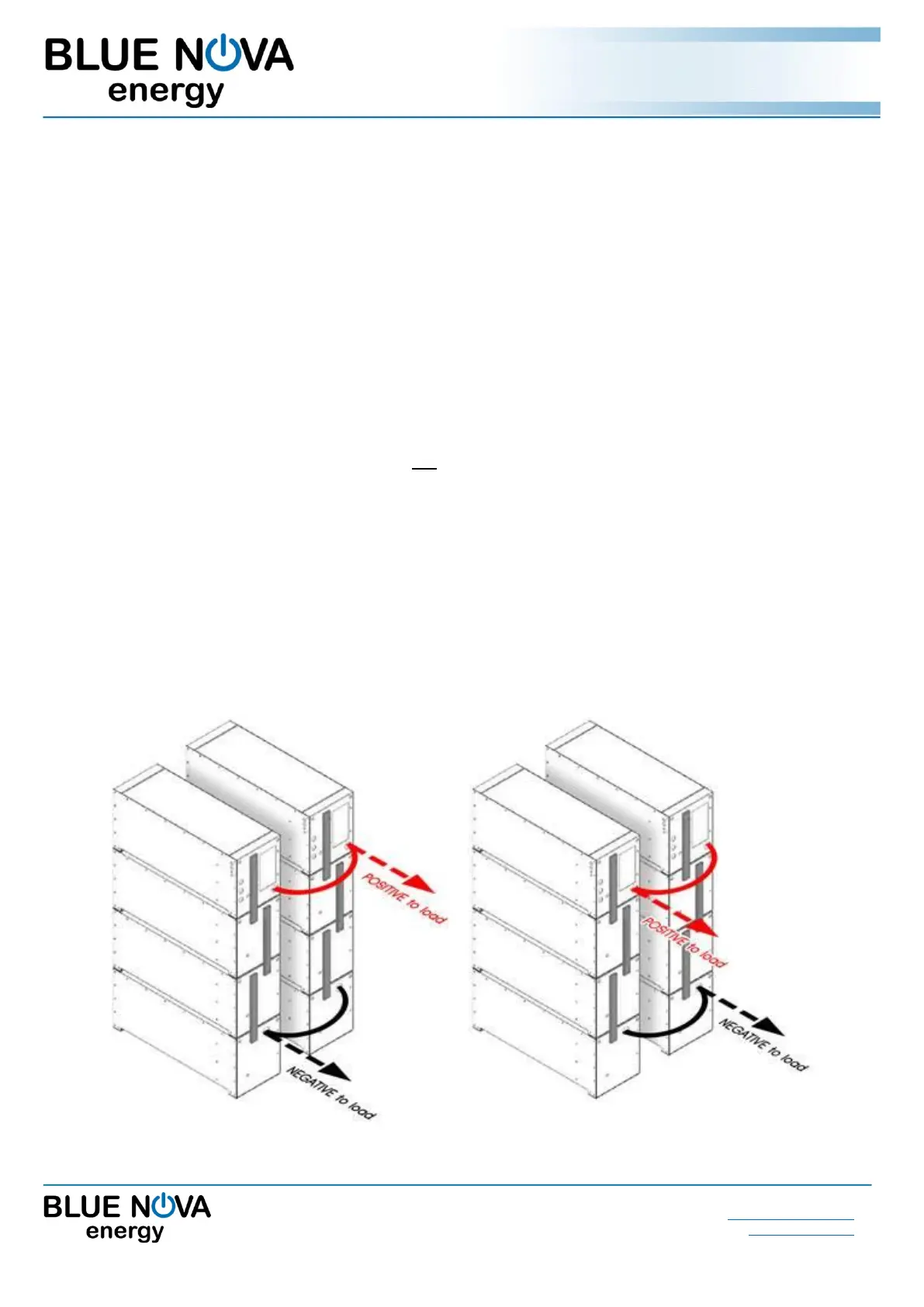
Parallel-connected battery configurations should always be connected to the inverter/charger from both ends of
the configuration, as illustrated in either of the 2 x examples below:



 To Next Page