EasyManua.ls Logo

Bluesound B400S - User Manual

Bluesound B400S
10 pages
Print Icon
To Next Page IconTo Next Page
Loading...
Owner’s Manual
ENGLISH
4 Zone Network
Music Player
B400S
Question and Answer IconNeed help?

Do you have a question about the Bluesound B400S and is the answer not in the manual?

Summary

Important Safety Instructions

Caution Regarding Placement

Guidelines for proper unit placement to ensure ventilation.

Hazard Warnings

Alerts users to dangerous voltage and important operating instructions.

Regulatory and Compliance

FCC Statement

Compliance with FCC rules for digital devices and radio frequency energy.

Environmental and Battery Disposal

Guidelines for product disposal, recycling, and battery management.

MPE Reminder

RF exposure requirements and mandatory separation distance for safe operation.

Introduction and Setup

Box Contents and Quick Setup

Lists items included and provides basic setup instructions.

Setup Notes and Packaging

Important notes for installation and advice on saving packaging.

Control Panel Overview

Status Indicator LEDs

Describes LED blink codes and their meanings for status indication.

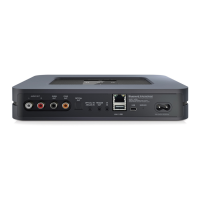
Input;Output Terminals

Details on LINE/MIC IN, PREAMPLIFIER OUT, Optical IN, and Digital Outputs.

Phantom Power

Information on switchable Phantom power for microphone inputs.

Connectivity and System Interfaces

LAN and USB Connectivity

Details on wired network (LAN) and USB mass storage device connections.

+12 V Trigger Control

Configuration of +12V TRIGGER (ON/OFF) for power management.

Reset and Service

Explains reset procedures and dedicated service ports.

System Connections and Operation

+12 V Trigger, IR Input, and Signal Block

Details on trigger, IR, and signal block connections for control.

AC Mains Input

Instructions for connecting the AC power cord to the unit.

App Usage and Support

Guide to using the BluOS App and accessing online support resources.

Specifications

Audio and General Specs

Covers audio performance metrics, power, dimensions, and weight.

Connectivity and Integration

Details on ports, network, USB, and partner integration.

Overview

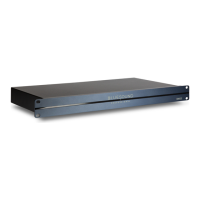
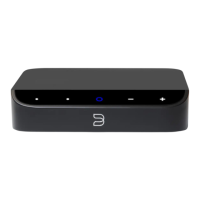
The Bluesound Professional B400S is a 4-zone network music player designed for professional audio installations. It allows users to stream and manage music across multiple zones within a network environment. The device is controlled primarily through the BluOS Controller App, available for various mobile and desktop platforms, offering a comprehensive interface for music selection, zone management, and system configuration.

Function Description

The B400S serves as a central hub for networked audio, capable of delivering different music sources to up to four independent zones. It supports a wide array of audio file formats and integrates with numerous cloud music services and free internet radio platforms, providing a vast library of content for commercial or multi-room applications. Connectivity options include balanced LINE/MIC IN for external analog sources, optical digital input, and multiple digital and analog preamplifier outputs for integration with amplifiers, receivers, or processors. The device also features USB ports for connecting mass storage devices, allowing playback of locally stored music files.

A key feature of the B400S is its ability to handle microphone inputs with switchable +48V Phantom power, making it suitable for environments requiring voice announcements or live audio integration. The system's network capabilities are robust, utilizing Gigabit Ethernet for reliable streaming and control.

Usage Features

The primary method of interaction with the B400S is through the BluOS Controller App. This application provides an intuitive interface for:

  • Source Selection: Users can easily browse and select music from integrated streaming services, internet radio, networked music shares, or connected USB devices.
  • Zone Management: The app allows for independent control of each of the four zones, enabling different music to be played in different areas or for zones to be grouped for synchronized playback.
  • Microphone Integration: When a microphone is connected to the LINE/MIC IN, the app facilitates its use, especially with Phantom power enabled for compatible microphones.
  • IR Remote Control: The B400S can be programmed to respond to IR remote commands via its IR IN terminal, offering an alternative control method for specific functions. This is configured through the BluOS App's settings menu.
  • 12V Trigger Control: The device supports 12V trigger input and output, allowing for automated power-up/standby synchronization with other compatible audio equipment. This feature can be configured via a physical switch on the unit and further managed through the app.
  • Signal Block Integration: The SIGNAL BLOCK terminals enable connection to external magnetic switches or surface mount contacts, which can be configured through the BluOS App to trigger events like interrupting current music playback for chime tones or melodies, useful for doorbell or alarm system integration.
  • Software Updates: The BluOS ecosystem ensures that the B400S can receive software updates, adding new features, improving performance, and expanding compatibility with services and devices.

The B400S is designed for ease of setup, with a Quick Setup Guide provided for initial installation. Important setup notes emphasize ensuring proper wiring, especially for terminal blocks, and connecting the AC power cord correctly. The device's LED status indicator provides visual feedback on its operational status, including powering up, network connection, upgrade mode, and error conditions.

Maintenance Features

The B400S incorporates several features and guidelines to ensure its longevity and ease of maintenance:

  • Factory Reset: A factory reset procedure is available to restore the unit to its default settings, which can be useful for troubleshooting persistent issues or when reconfiguring the system. This involves a specific sequence of disconnecting and reconnecting power while holding the RESET button.
  • Packaging Retention: Users are strongly advised to save the original packaging for safe transport of the unit, preventing damage during relocation or servicing.
  • Environmental Protection: The device is manufactured with environmental considerations, and users are encouraged to dispose of the product and its batteries responsibly, adhering to local regulations for electronic waste and battery recycling.
  • Safety Instructions: Comprehensive safety instructions are provided, covering aspects like proper ventilation, power source connection, cord protection, and avoiding exposure to moisture or heat. These instructions are crucial for safe operation and to prevent damage to the unit or injury to users.
  • Serviceability: While most user interaction is through the app, specific USB ports and tact switches are designated for servicing purposes only, indicating that certain maintenance tasks may require qualified personnel.
  • Firmware Upgrades: The BluOS platform allows for firmware upgrades, which are essential for maintaining optimal performance, security, and compatibility with evolving technologies and services. The LED indicator provides feedback during the upgrade process.

Bluesound B400S Specifications

General IconGeneral
BrandBluesound
ModelB400S
NetworkEthernet, Wi-Fi
Audio InputsAnalog RCA
Streaming ServicesAmazon Music, Spotify, TIDAL, Qobuz, Deezer, HighResAudio, Napster, KKBox, Bugs
BluetoothNo
File FormatsMP3, AAC, WMA, OGG, WMA-L, ALAC
Network ConnectivityEthernet, Wi-Fi
Supported ServicesTidal, Spotify, Qobuz, Deezer, Amazon Music, Napster, HighResAudio, KKBox, Bugs
Weight3.5 kg

Related product manuals