Need help?
Do you have a question about the Bluesound Vault 2i and is the answer not in the manual?
Table detailing LED blink codes and their corresponding descriptions for player status.
Describes the multiple functions of the Play/Pause button and its LED indicator.
Details how to use the volume buttons to adjust the audio level.
Explains the buttons used to go back to the previous or skip to the next track.
Information on connecting amplifiers, receivers, or stereo systems via analog audio out.
Guidance on connecting a powered subwoofer to the VAULT 2i's subwoofer out.
Details for connecting to devices using Coaxial and Optical digital audio outputs.
Explains connecting analog audio sources and digital optical sources via 3.5mm jack.
Describes the 12V DC trigger out and IR in port for controlling external devices.
Information on using USB ports for storage and Bluetooth adaptors, and LAN for wired connection.
Details on the service port and AC mains input for power connection.
Location and function of the front panel headphone jack.
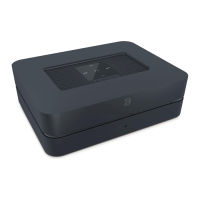
The VAULT 2i is a sophisticated network streamer, CD-ripper, and music library designed to transform your local digital music collection and provide access to a vast world of internet streaming. It serves as a central hub for your music, allowing you to manage and play your audio files with ease, effectively replacing traditional CD clutter. The device is controlled via the Bluesound App, which can be run on your smartphone, desktop, or tablet, offering a convenient and intuitive user experience.
One of the primary functions of the VAULT 2i is its ability to rip CDs directly into its internal music library. This feature allows you to digitize your physical CD collection, making it accessible and playable through the Bluesound ecosystem. Once ripped, your music is stored on the device, ready to be streamed to any Bluesound player in your home. This process eliminates the need for physical media, simplifying your music management and playback.
Beyond local music, the VAULT 2i is also a powerful internet streaming device. It provides access to a wide array of internet music service providers, allowing you to explore extensive catalogs of millions of songs. These subscription services stream music over the internet in real-time, offering an almost limitless selection of audio content. Additionally, the device integrates TuneIn Radio, which makes virtually every radio station in the world accessible as a local station, expanding your listening options significantly.
To fully leverage the VAULT 2i's capabilities, a robust wired home network and a reliable high-speed internet connection are essential. This typically requires a DSL or Cable modem and internet access contracted through a local Internet Service Provider. For users in remote areas, satellite options for high-speed internet access are also available. Before subscribing to music or cloud services, it's recommended to review your internet service plan to ensure sufficient speed and bandwidth for uninterrupted streaming. Most internet service providers offer various plans, and choosing the right one is crucial for optimal performance.
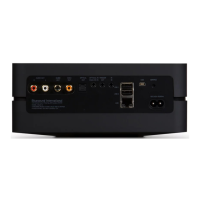
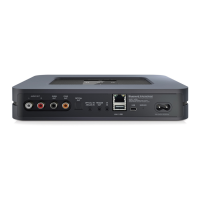
The VAULT 2i offers a comprehensive set of connectivity options, making it versatile for integration into various audio setups. On the rear panel, you'll find an AUDIO OUT port for connecting to the analog audio input of an amplifier, receiver, or stereo system. A SUBW (SUBWOOFER) OUT port allows direct connection to a powered subwoofer, enhancing bass response. For digital audio connections, there are COAX OUT and OPTICAL OUT ports, which can be connected to compatible devices such as receivers, computer soundcards, or other digital processors using coax or digital optical cables, respectively.
Input options are equally robust. The OPTICAL IN/ANALOG IN port, using a 3.5mm Stereo Audio Cable, allows connection to the analog output of other compatible devices. The source will appear as an Analog Input in the Bluesound app. With the included 3.5mm Mini Jack to Toslink adaptor, a digital optical source can also be added, appearing as Optical Input in the app. A TRIGGER OUT port provides a 12V DC signal, useful for controlling or activating external devices equipped with a corresponding 12V trigger input via a 3.5mm mono audio cable. An IR IN port allows for the connection of an infrared extender, enabling control via programmable learning remotes, especially when the VAULT 2i's front panel IR sensor is not visible.
For data and network connectivity, the device includes a USB (TYPE A) port for connecting USB mass storage devices or a Bluetooth adaptor. Compatible storage devices include portable flash memory devices and external hard drives (FAT32 formatted). The LAN PORT is crucial for setting up the VAULT 2i with a wired Ethernet connection. Using the provided Ethernet cable, you connect one end to your wired Ethernet broadband router and the other to the VAULT 2i's LAN port. There's also a SERVICE port (USB Type B Mini) for initially loading firmware, though this is intended for authorized Bluesound Service personnel only.
Power is supplied via the AC MAINS INPUT, and the VAULT 2i comes with two separate AC power cords to suit different regions. It's important to select the appropriate cord and connect it firmly to the input socket before plugging into a wall outlet. Always disconnect from the wall outlet first when unplugging the cable from the device. For personal listening, a 3.5mm headphone jack is conveniently located on the front panel.
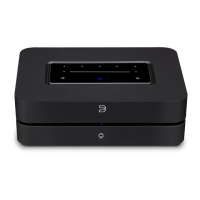
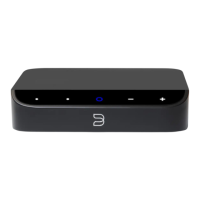
The front panel also features a PLAY/PAUSE BUTTON, which serves multiple functions. It acts as a visual indicator of network connectivity and, when pressed, plays or pauses the stream for an ungrouped player. For internet radio streams, the pause function works for 30 seconds before the buffer fills and the stream stops. If the player is grouped, pressing the button mutes that player while others continue the stream, with the LED flashing blue when muted. Volume control is managed by the + and - buttons, allowing you to increase or decrease the volume level. PREVIOUS TRACK/NEXT TRACK buttons enable navigation through your current playlist.
The STATUS INDICATOR LED on the device provides crucial feedback through various blink codes. A short blue flash followed by red indicates powering up or rebooting. Flashing green signifies connecting to network shares. A solid red light means the device cannot boot or there's a drive error. A red pulse indicates no internet gateway, while a white pulse suggests a software update is available. Solid red during an update means upgrade mode, and alternate flashing red and green indicates the upgrade is in progress. Flashing blue means mute mode, and solid white indicates indexing. A solid blue light confirms connection to the network and readiness for use with the Bluesound App. Flashing red indicates a factory reset in progress, and solid purple means the hotspot has timed out.
Maintenance features primarily involve software updates and troubleshooting. The device is designed to receive software updates, indicated by a white pulse on the LED. In cases of malfunction or failed firmware upgrades, a factory reset procedure is available. This process, which involves a specific sequence of disconnecting power, waiting, reconnecting, and holding the Play/Pause button, will erase all customization, including Wi-Fi network configuration, file shares, and saved playlists. It's only recommended if the player is not functioning or an internet firmware upgrade has failed. After a successful factory reset, the player will reconnect to the network (if plugged in via Ethernet) as if it were a new player, using the default player name and displaying a solid blue LED. It's important to follow the factory reset steps carefully, as prematurely releasing the button can leave the player in Upgrade Mode.
The VAULT 2i comes with several included accessories to facilitate its setup and use. These include a Stereo RCA to RCA Cable for analog connections, a 3.5mm Stereo mini Plug to RCA Cable for various audio inputs, a 120V AC Power Cord and a 230V AC Power Cord for regional power compatibility, an Ethernet Cable for wired network connection, and a Mini Jack to Toslink Adaptor for digital optical input. These accessories ensure that users have the necessary components to integrate the VAULT 2i into their existing audio systems and networks right out of the box.
 General
| Storage Capacity | 2TB |
|---|---|
| Native Sampling Rates | Up to 192 kHz |
| Bit Depths | 16-24 bit |
| Operating System | BluOS |
| Wi-Fi | 802.11ac Dual-Band |
| Ethernet | Gigabit Ethernet RJ45 |
| Bluetooth | Bluetooth 5.0 aptX HD |
| Analog Output | RCA Stereo |
| Trigger Output | 12V Trigger |
| Connectivity | Wi-Fi, Ethernet, Bluetooth, USB |
| Audio Outputs | Analog RCA, Optical, Coaxial |
| Supported Audio Formats | MP3, AAC, WMA, OGG, FLAC, ALAC, WAV, AIFF, MQA |
| Dimensions | 220 x 90 x 192 mm |
| Streaming Services | Spotify, Tidal, Qobuz, Amazon Music, Deezer, Napster |
| Processor | ARM Cortex A9 |
| DAC | 32-bit/192kHz |
| Headphone Output | 3.5mm Jack |
| Type | Network Streamer with CD Ripping |
| CD Ripping | Yes |
| App Control | BluOS Controller App |
| Multi-Room | Supported |
| Weight | 2.05 kg (4.5 lbs) |
| USB | Type-A for external storage |

 To Next Page