
 Need help?
Do you have a question about the Bluesound Powernode and is the answer not in the manual?
Brief introduction to the POWERNODE and its features.
Essential safety guidelines for proper and safe operation.
Lists the accessories provided with the POWERNODE.
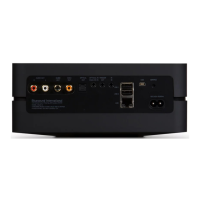
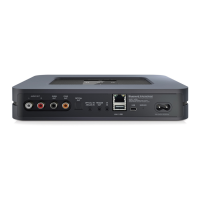
Details the physical layout, ports, and LED indicator.
Step-by-step instructions for initial setup and connection.
Guide to accessing and playing various audio content.
User interface and controls for the app on an iPad.
Understanding the app's buttons, gestures, and functions.
Functionality of the app's navigation menu.
User interface and controls for the app on iPhone/iPod Touch.
User interface and controls for the app on Android devices.
Browsing and managing local music collections.
Exploring and playing online radio stations via TuneIn.
Connecting to music subscription providers.
Pairing and using Bluetooth audio streaming.
Building and organizing custom song lists.
Removing unwanted playlists from the catalog.
Specific playlist functionality for Android devices.
Details of the current playback screen and controls.
Managing individual player settings and sources.
Synchronizing playback across multiple players.
Procedures for updating the device software.
Accessing and configuring player options.
Troubleshooting, diagnostics, and support requests.
Details on supported formats, sampling rates, and power.
Network, ports, and user interface details.
Weight, dimensions, power consumption, and environment.
 General
| Storage media type | Not available |
|---|---|
| Built-in storage media | No |
| Total storage capacity | 0 GB |
| Product color | Black |
| Internet radio | Yes |
| Volume control | Digital |
| Audio formats supported | AAC, AIFF, FLAC, MP3, OGG, WAV, WMA |
| Image formats supported | JPG |
| Video formats supported | Not supported |
| Audio output channels | - channels |
| USB 2.0 ports quantity | 2 |
| Ethernet LAN (RJ-45) ports | 1 |
| USB 3.2 Gen 1 (3.1 Gen 1) Type-A ports quantity | 0 |
| Wi-Fi standards | Wi-Fi 4 (802.11n) |
| AC input voltage | 100 - 240 V |
| AC input frequency | 50 - 60 Hz |
| Power consumption (typical) | 12 W |
| Storage temperature (T-T) | -10 - 50 °C |
| Operating temperature (T-T) | 0 - 40 °C |
| Storage relative humidity (H-H) | 20 - 80 % |
| Processor frequency | 800 MHz |
| Processor architecture | Cortex-A8 |
| Cables included | AC, LAN (RJ-45) |
| Output power description | 50W x 2 |
| Compatible operating systems | Windows XP, 2000, Vista, 7\\r Mac OS |
 Weight and Dimensions
| Depth | 202.3 mm |
|---|---|
| Width | 248 mm |
| Height | 176 mm |
| Weight | 1900 g |



 To Next Page

