EasyManua.ls Logo

Bluesound powernode 2 - User Manual

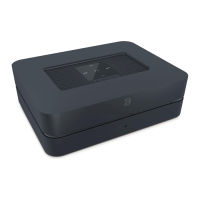
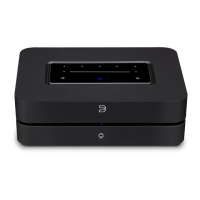
Bluesound powernode 2
4 pages
Print Icon
To Next Page IconTo Next Page
Loading...
Owner’s Manual
Included Accessessories
Welcome to Bluesound, Hi-Fi for the Wi-Fi generation.
Bluesound transforms your local digital music library by putting the music of your life right at your ngertips.
The clutter of CDs is relegated to a previous era! Your smartphone, desktop or tablet running the Bluesound App
now controls your music.
Your Bluesound music system is also a sophisticated Internet streaming device that allows you to listen to a
wide range of Internet music service providers. Bluesound also provides access to music subscription services
featuring extensive catalogs of millions of songs streamed to you over the internet in real time. TuneIn Radio
makes every radio station in the world a local station via the magic of the internet.
To take full advantage of all these Bluesound capabilities requires a robust wired or wireless home network
and a reliable high speed Internet connection, provided by a DSL or Cable modem. Internet access must be
contracted and installed by your local Internet Service Provider. For remote areas there are satellite options for
high speed internet access.
Before signing on to a music subscription or cloud service we suggest that you review your Internet service plan
and be sure you have enough internet speed and bandwidth to provide uninterrupted streaming. Most internet
service providers offer multiple plans and can help you make the best choice.
For detailed instructions on how to control your Bluesound player, visit our website at : www.bluesound.com.
120V AC Power Cord Ethernet Cable
230V AC Power Cord Mini Jack to Toslink Adaptor
Amplied Wireless
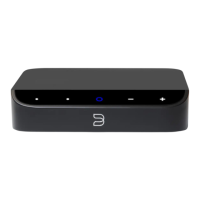
Streaming Music Player
Question and Answer IconNeed help?

Do you have a question about the Bluesound powernode 2 and is the answer not in the manual?

Summary

Welcome and Overview

Included Accessories

Status Indicator

LED Blink Codes

Lists LED blink codes and their corresponding descriptions for status indication.

Device Controls and Connectivity

LED;MUTE Button

Front panel button for muting audio output and indicating network connectivity status.

Volume Controls

Buttons to adjust the audio volume level up or down.

Track Navigation

Buttons to navigate tracks in the current playlist.

Audio and Data Ports

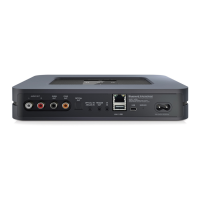
Description of various input/output ports including audio, USB, IR, and network connections.

Speaker and Headphone Outputs

Details on connecting loudspeakers and headphones to the device.

Factory Reset Procedure

Bluesound powernode 2 Specifications

General IconGeneral
Product colorWhite
Internet radioYes
Volume controlDigital
Audio formats supportedAAC, AIFF, FLAC, MP3, OGG, WAV, WMA
Image formats supportedJPG
Video formats supportedNot supported
Internet radio services supportedTuneIn, iHeartRadio
Storage media typeNot available
Built-in storage mediaNo
Total storage capacity0 GB
Audio output channels- channels
Signal-to-Noise Ratio (SNR)110 dB
Total Harmonic Distortion (THD)0.02 %
USB 2.0 ports quantity2
Digital audio optical out-
Ethernet LAN (RJ-45) ports1
USB 3.2 Gen 1 (3.1 Gen 1) Type-A ports quantity0
Wi-Fi standards802.11b, 802.11g, Wi-Fi 4 (802.11n)
Ethernet LAN data rates10, 100, 1000 Mbit/s
Processor frequency1 MHz
Processor architectureCortex-A9
AC input voltage100-240 V
Power consumption (typical)12 W
Storage temperature (T-T)-10 - 50 °C
Operating temperature (T-T)0 - 40 °C
Storage relative humidity (H-H)20 - 80 %
Cables includedAC, LAN (RJ-45), TOSLINK Digital Optical
Weight and Dimensions IconWeight and Dimensions
Depth190 mm
Width220 mm
Height70 mm
Weight1720 g

Related product manuals