Need help?
Do you have a question about the Bluesound Vault and is the answer not in the manual?
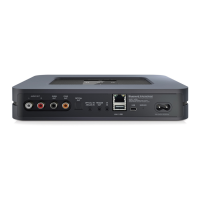
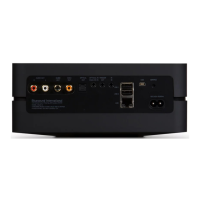
Connect the Vault to audio systems using various cables.
Connect the Vault to your home network using an Ethernet cable.
Connect the AC power supply and cord to the Vault.
Download the controller app for iOS and Android devices.
Configure the app to play Internet Radio and local music.
 General
| Storage media type | HDD |
|---|---|
| Built-in storage media | Yes |
| Card reader integrated | No |
| Total storage capacity | 1000 GB |
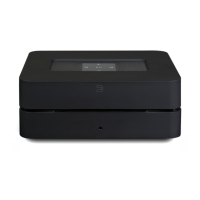
| Product color | Black |
| Audio formats supported | AAC, AIFF, FLAC, MP3, OGG, WAV, WMA |
| Image formats supported | JPG |
| Video formats supported | - |
| Audio output channels | - channels |
| USB 2.0 ports quantity | 2 |
| Ethernet LAN (RJ-45) ports | 1 |
| USB 3.2 Gen 1 (3.1 Gen 1) Type-A ports quantity | 0 |
| AC input voltage | 100 - 240 V |
| AC input frequency | 50 - 60 Hz |
| Power consumption (typical) | 17 W |
| Storage temperature (T-T) | -10 - 50 °C |
| Operating temperature (T-T) | 0 - 40 °C |
| Storage relative humidity (H-H) | 20 - 80 % |
| Cables included | AC, LAN (RJ-45), RCA |
| Compatible operating systems | Microsoft Windows XP, 2000, Vista, 7, 8\\r Apple Mac OS |
 Weight and Dimensions
| Depth | 239 mm |
|---|---|
| Width | 293 mm |
| Height | 208 mm |
| Weight | 3000 g |

 To Next Page