Managing Players – Android iPad – go to page 4 8 iPhone/iPod Touch – go to
page 50
Your Bluesound Control App can be used to control the music in every room that has a Bluesound player. You can play the
same music on every player or stream separate music to each room – your choices are endless.
Streaming Music to each Player
If you have multiple Bluesound players on the same network, you can control them separately. Each Bluesound player on
your network is an independent player working in conjunction with your Bluesound system.
You will be able to access your playlists, music sources, Internet Radio and Music Subscription Services from every player
since they are replica ted to each player when set up on the system. Playback is controlled individually or in groups. To control
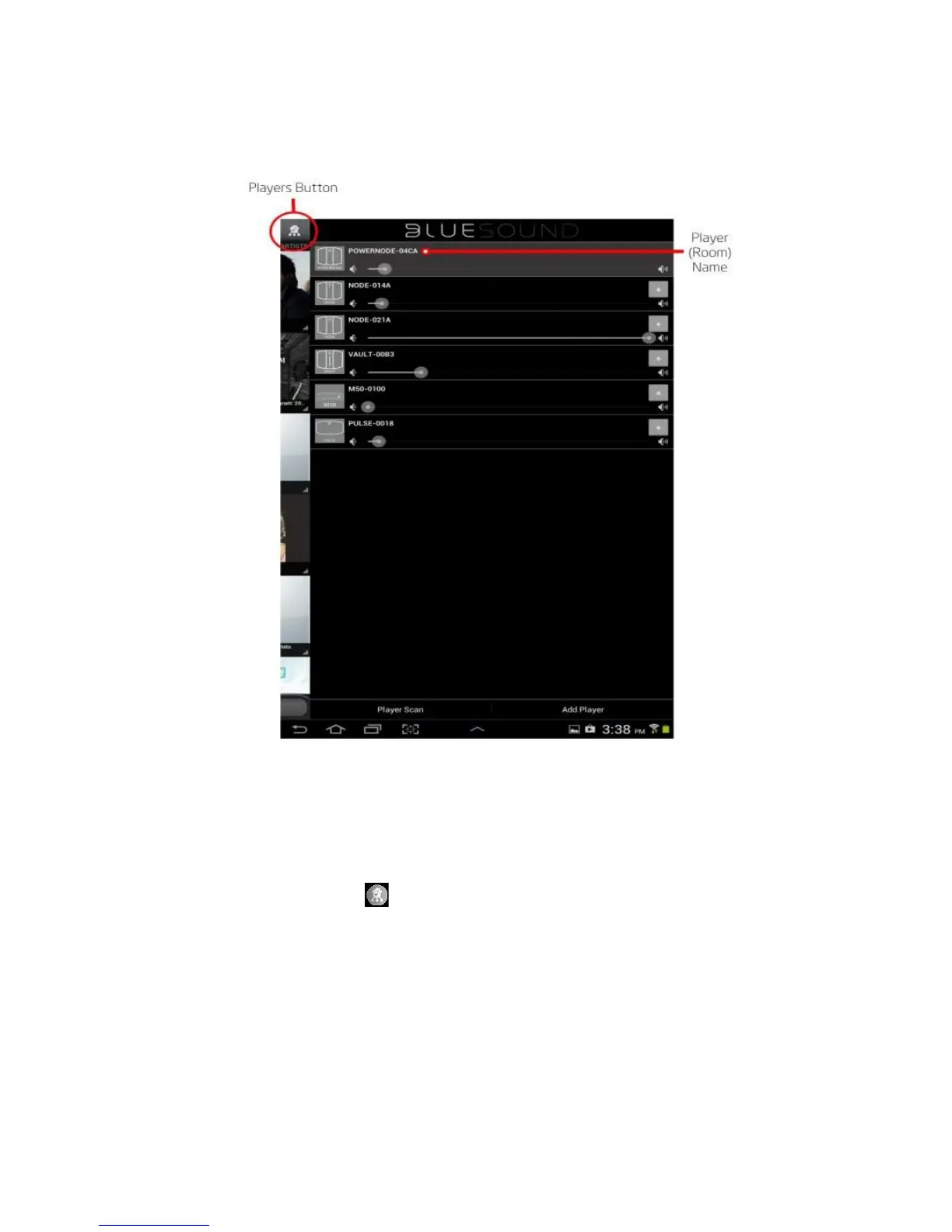
an individual player select the Players Button and the right side drawer will open showing the available pla yers (rooms).
Select the play er (room) you wish to control and all of the App controls will switch to that player.




 To Next Page