
 Need help?
Do you have a question about the Bluesound Pulse Mini and is the answer not in the manual?
Includes 120V and 230V AC power cords for regional compatibility.
Provides an Ethernet cable for wired connection and a Mini Jack to Toslink adapter.
LED codes indicating power status, network connection, and potential errors.
LED indications for software updates, upgrade mode, and factory reset progress.
LED feedback for Hotspot mode, mute mode, and successful network connection.
Describes the LED/Mute button's role in network indication and audio muting.
Details on how to adjust volume and skip tracks using front panel buttons.
Explains the use of LAN, USB (Type A), Optical/Analog In, and Headphone Jack.
Information on connecting AC power and the purpose of the service port.
Alerts users that factory reset erases all customizations and data.
Detailed instructions on how to perform a factory reset via power and button press.
How to identify a successful factory reset based on the LED indicator.
 General
| Control type | Touch |
|---|---|
| MP3 sample rates | 32 - 192 kHz |
| Built-in processor | Yes |
| Processor frequency | 1000 MHz |
| Supported radio bands | - |
| Built-in storage media | No |
| Audio formats supported | AAC, AIFF, ALAC, FLAC, MP3, MQA, OGG, OPUS, WAV, WMA, WMA-L |
| Internet radio services supported | Amazon Music, Deezer, JUKE, Napster, Qobuz, Slacker, Spotify, Tidal, TuneIn, iHeartRadio |
| Mobile operating systems supported | Android, iOS |
| Windows operating systems supported | Windows 2000, Windows 7, Windows 8, Windows Vista, Windows XP Home, Windows XP Professional |
| Wi-Fi standards | 802.11b, 802.11g, Wi-Fi 4 (802.11n) |
| USB connector type | Mini-USB B, USB Type-A |
| Headphone connectivity | 3.5 mm |
| Ethernet LAN data rates | 10, 100, 1000 Mbit/s |
| AC input voltage | 100 - 240 V |
| Power consumption (typical) | 14 W |
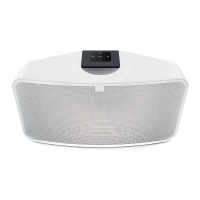
| Product color | White |
| Storage temperature (T-T) | -10 - 50 °C |
| Operating temperature (T-T) | 0 - 40 °C |
| Storage relative humidity (H-H) | 20 - 80 % |
| RMS rated power | 60 W |
| Number of drivers | 3 |
| Total Harmonic Distortion (THD) | 0.03 % |
 Weight and Dimensions
| Depth | 172 mm |
|---|---|
| Width | 335 mm |
| Height | 155 mm |
| Weight | 3600 g |




 To Next Page
